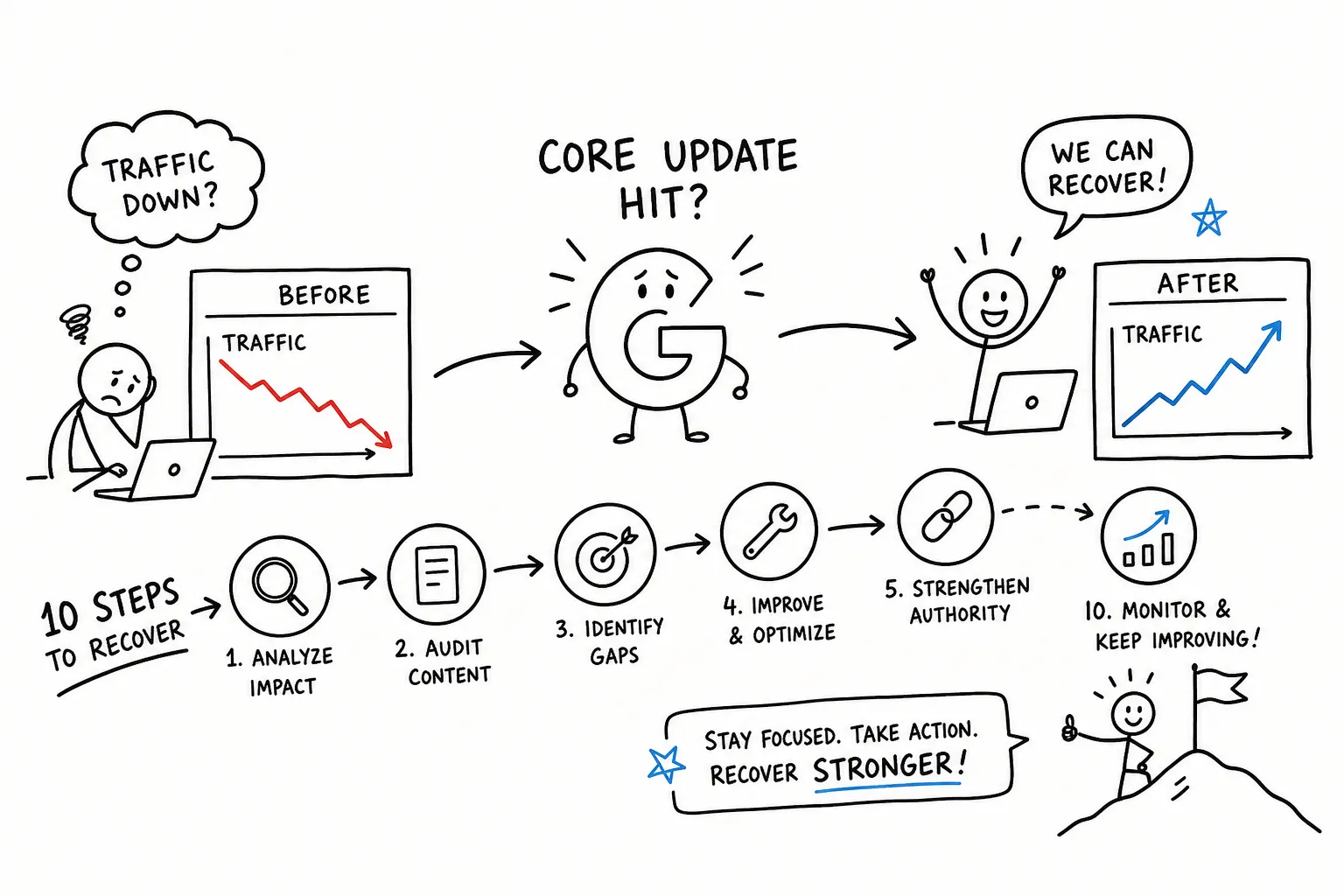
You open your laptop on a Tuesday morning, pull up Google Analytics out of habit, and your stomach drops. Organic traffic is down 30, 40, sometimes 60 percent, and the chart cliff starts exactly when Google rolled its latest core update. If you’re trying to recover from a Google update, that gut-punch moment is real, and it happens to publishers at every level.
Here’s the reframe that changes everything: a Google core update doesn’t penalize bad actors the way a spam penalty does. It re-ranks pages based on Google improving its ability to identify genuinely helpful, trustworthy content. That means your recovery path isn’t about undoing damage. It’s about becoming the better result your audience deserves.
At AISEO Round Table, we’ve watched site owners make the same costly mistake after every major update: they start fixing things before they understand what actually broke. They rewrite pages that weren’t the problem, disavow links that weren’t hurting them, and exhaust their energy on the wrong work. This guide gives you a structured, 10-step process grouped into five phases so you fix the right things in the right order. Recovery is measured in weeks and months, not days, but starting with a clear diagnosis is what separates sites that come back from sites that keep sliding.
Phase 1: Diagnose the Damage Before You Touch Anything
Step 1: Confirm the Update and the Exact Drop Date
Before you change a single line of content, verify that your drop actually aligns with a confirmed Google update. Pull up the Google Search Status Dashboard and cross-reference the date your traffic fell against Google’s published update timeline. A drop that lines up with a core update calls for a different response than one tied to a spam or link spam update. A drop that doesn’t align with any confirmed update may point to a technical issue that has nothing to do with Google’s ranking systems at all.
Note the exact start date of your drop, because you’ll use it as your comparison anchor in every tool you open next. Precision here saves you from chasing ghosts later.
Step 2: Pinpoint Which Pages and Keywords Lost Visibility
Open Google Search Console and go to Performance > Search results. Use the date comparison feature to set one range in the period before the confirmed update date and an equal-length window after it (28 days before versus 28 days after works well). Switch between the Pages and Queries tabs to find which URLs and keywords lost the most clicks and impressions. These are your recovery targets, so export them into a spreadsheet and sort by biggest drop.
If you want to see keyword-by-keyword position changes without pulling manual GSC exports, a rank tracking tool like Mangools gives you a visual timeline of position movement that’s faster to work through. For additional guidance on diagnosing traffic drops in Google Search Console, this Search Engine Land breakdown is a helpful reference. We cover the full Mangools workflow in a separate review on AISEO Round Table for anyone who wants to go deeper on that. For now, the goal is a prioritized list: highest pre-update traffic pages at the top, because that’s where your recovery investment pays off most.
Phase 2: Run a Content Audit on Your Affected Pages
Step 3: Identify Thin, Outdated, and Low-Value Content
Thin content isn’t just short content. A page is thin when it has no firsthand examples, recycles information that dozens of other pages already cover, cites outdated statistics, or fails to satisfy what the user actually came to learn. Go through each affected URL from your GSC export and score it honestly on three dimensions: depth, originality, and intent match. The output of this exercise is three buckets: improve it, consolidate it with a stronger related page, or remove it entirely if it adds nothing a user couldn’t find better elsewhere.
The consolidation option is underused. If you have four shallow pages covering adjacent subtopics, merging them into one comprehensive resource with proper 301 redirects often does more for recovery than rewriting each page individually.
Step 4: Compare Your Pages Against the Current Top-Ranking Results
Pull the top five results for each affected page’s target query and read them carefully. Look specifically for topics, subtopics, examples, and supporting data that those pages include that yours skips entirely. These are your content gaps, and they directly reveal where your page underdelivers against Google’s current quality bar for that query. Structure matters too: if the top-ranking pages use comparison tables, step-by-step formats, or FAQ sections and yours doesn’t, that’s a signal about how users prefer to consume that information.
Don’t copy what competitors do, understand why it works, then do it better. The goal is to create the most useful, complete answer available, not to mirror the current leaders.
Phase 3: Strengthen E-E-A-T Signals to Recover from a Google Update
Step 5: Identify E-E-A-T Gaps on Your Affected Pages
Google’s Search Quality Rater Guidelines are explicit: trust is the most important E-E-A-T signal, and experience, expertise, and authoritativeness are the ways you earn it. The most common gaps on affected pages include anonymous authorship with no bio or credentials, generic advice that any generalist writer could produce, missing citations or sourcing, and statistics that haven’t been updated in years.
For YMYL topics, health, finance, legal, safety, these gaps are especially damaging because Google applies higher scrutiny to pages where inaccurate information could genuinely harm someone. Closing these gaps is one of the most reliable steps in any Google core update recovery checklist. For practical guidance on framing content around user-first principles, see our piece on People First Content: Lessons from the Helpful Content Update.
Step 6: Make Concrete Fixes That Move the Trust Needle
Add or expand author bios with verifiable credentials and direct experience relevant to the topic. Rewrite sections where your perspective is generic: add a firsthand example, cite a specific data point, or explain a nuance that only someone with real experience in the subject would know. Review every statistic or claim for accuracy and update anything stale. Strengthen your trust-layer pages, About, Contact, and Privacy Policy, so Google’s systems can verify your site is operated by a credible, identifiable entity. These fixes aren’t cosmetic: they’re the foundation that Google’s quality raters use to assess whether a page deserves to rank.
Phase 4: Clean Up Backlinks and Fix Technical Issues
Step 7: Audit Your Backlink Profile for Spammy Links
Google’s SpamBrain system is trained to detect link schemes: paid links, manipulative anchor text patterns, and links from low-quality or expired domains. Export your backlink profile from Google Search Console, look for patterns that signal manipulation, exact-match anchor text across many domains, links from irrelevant or obviously low-quality sites, sudden spikes in link volume, and attempt manual removal outreach for the worst offenders. For links you can’t get removed, compile a disavow file in plain text using the domain:example.com format and submit it through the Disavow Links Tool in Search Console. If you need a step-by-step reference, this guide on how to create a disavow file walks through the required format and submission process.
Disavowing is not a guaranteed fix, and it works best when paired with genuine content quality improvements. It signals to Google that you’re not endorsing those links, but if your content is still thin, removing bad links alone won’t restore search visibility after the update.
Step 8: Fix the Technical Issues That Silently Block Recovery
Technical problems won’t trigger a core update ranking drop by themselves, but they will prevent your improved content from ranking even after you’ve done the content work. Check these four areas in Google Search Console:
- Pages report, crawlability blocks like incorrect robots.txt rules or noindex tags applied to the wrong URLs
- Core Web Vitals report, LCP, INP, and CLS failures, especially on mobile, where issues can exist independently of desktop scores
- Mobile Usability report, viewport and text-size errors
- Indexing section, soft 404s or canonicalization problems
Fix any issues you find here before you call the content work done, otherwise you’re putting effort into pages Google can’t properly evaluate.
Phase 5: Rebuild Traffic and Set Realistic Recovery Expectations
Step 9: Prioritize Your Actions So You’re Not Spread Thin
You have finite time and resources, so don’t try to fix every page at once. Use a simple prioritization system: multiply the pre-update traffic of each affected page by its commercial value to your business. The pages that score highest get your attention first. Ship improvements in meaningful batches rather than making one small change at a time, and after each batch, submit the updated URLs for indexing through the URL Inspection tool in Search Console so Google processes your changes without waiting for its next scheduled crawl.
Focused effort on ten pages beats scattered effort on a hundred. A thorough rewrite that makes a page genuinely the best result available does more than a dozen surface-level touch-ups spread across your site.
Step 10: Track Progress Weekly and Set Honest Timeline Expectations
Google typically re-evaluates sites most significantly at the next major core update, and those can be several months apart. Partial recovery within 60 to 90 days is possible when the improvements are substantial, but full recovery often spans two to three update cycles. Check your GSC Performance data and rank tracking weekly, not daily. Daily fluctuations are normal during volatile periods, and making reactive decisions based on single-day swings will slow you down more than help you. For broader context on how core updates have historically rolled out, see this guide to Google core updates.
If you’ve made meaningful improvements across content, E-E-A-T, backlinks, and technical issues and you see no movement after two full update cycles, that’s the right time to bring in a technical SEO specialist who can perform a deeper site-level audit.
Recovery Is a Process, Not a Patch
Recovering from a Google core update is a structured process of making your site genuinely more useful, trustworthy, and technically sound. The five phases, diagnose, audit content, strengthen E-E-A-T, clean up backlinks and technical issues, then rebuild and monitor, give you a clear sequence so you’re never guessing what to do next.
The sites that recover fastest aren’t the ones that react fastest. They’re the ones that treat the update as diagnostic feedback: an honest signal about where their content falls short of what their audience actually needs. Sites that panic and start changing things without a diagnosis often make the wrong changes and delay real recovery by months.
AISEO Round Table covers the tools and workflows referenced throughout this guide in more depth, including a full walkthrough of rank tracking with Mangools and step-by-step Google Search Console tutorials for bloggers and small business owners who want to handle this themselves. For hands-on guides on implementation, see our Step-by-Step SEO Audit Guide for Better Rankings, AISEO Round Table and our On-Page SEO Best Practices in 2025, AISEO Round Table. To recover from a Google update, start with one affected page from your GSC export, run the content audit process from Step 3, and make one meaningful improvement today. That single page is where your recovery begins.