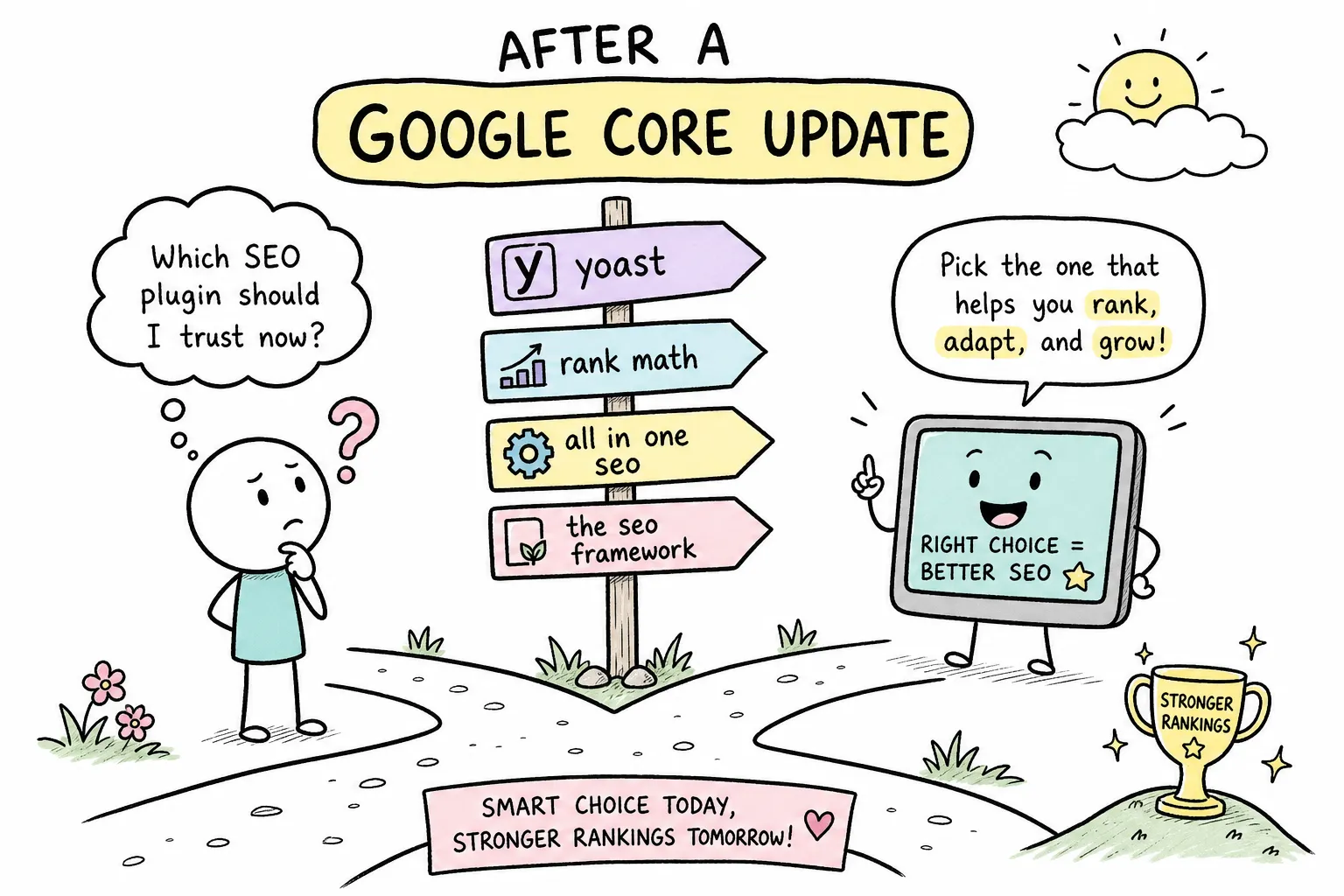
If you’ve been asking yourself “which SEO plugin should I use after a Google core update,” you’re not alone. At AISEO Round Table, we get some version of this question every single time Google rolls out a major core update: “Should I switch to Rank Math? Is Yoast holding me back? Do I need to reinstall everything?” The panic is understandable. Rankings dropped, traffic is down, and the instinct is to reach for a tool and start fixing things fast.
Here’s the honest answer upfront: no SEO plugin will directly recover your rankings after a core update. Not Rank Math, not Yoast, not SEOPress, not AIOSEO. Core updates don’t punish bad plugins, they reassess content quality, relevance, and trust signals across your entire site. Your plugin is a support tool, not a ranking lever.
That said, your plugin settings and audit workflow genuinely matter in the recovery process. This guide covers which SEO plugin you should use after a Google core update based on the recovery tasks your site needs, which settings to check immediately, and how to run a proper post-update content quality audit that actually moves the needle.
The honest truth about SEO plugins and core update recovery
Why your plugin didn’t cause the drop
Core updates are broad algorithmic reassessments of how well pages satisfy search intent, demonstrate expertise, and earn trust. Plugin choice doesn’t trigger them, and neither do minor schema errors or misconfigured meta tags on their own. That said, severe technical misconfigurations, widespread indexation errors, broken canonicalization across hundreds of pages, can indirectly worsen rankings by muddying how Google evaluates your content. But the primary driver of a core update ranking drop is almost always how Google re-evaluated your content quality, topical authority, or site-wide signals, not which plugin you’re running.
What plugins can and can’t control
SEO plugins control technical outputs: meta tags, schema markup, sitemaps, and canonical tags. These elements help Google understand and index your content more clearly. They do not create content quality, add real-world expertise, or build backlinks. Think of your plugin as a communication layer between your site and Google’s crawlers, not as a ranking booster. That’s where site owners get into trouble.
Why this distinction matters for your recovery plan
When you understand that the plugin is a support tool rather than the fix, you stop wasting recovery time tweaking title templates and start focusing on the content and structural improvements that actually influence core update outcomes. Every hour spent swapping plugins is an hour not spent on the content quality audit that will actually make a difference. Before you touch a single plugin setting, confirm in Search Console which pages dropped and start forming a hypothesis about why, then your plugin work will have real direction.
Which SEO plugin should I use after a Google core update?
The short answer: use the plugin you already have, and configure it correctly. Switching plugins mid-recovery adds migration risk without adding ranking benefit. But if you’re starting fresh or genuinely evaluating your options, here’s how the four main contenders compare on the recovery tasks that matter most.
Schema and structured data control
Rank Math offers the most granular schema builder of the four, with support for multiple schema types per page and a library of more than 20 predefined schema types available on the free plan, more than most comparable free tiers, according to independent plugin reviews. Yoast covers the basics reliably with its structured data blocks but requires more manual work for complex setups. SEOPress Pro provides flexible schema output, while AIOSEO handles core schema types cleanly with a more streamlined management interface. For post-update schema validation work, Rank Math’s free tier provides more schema control than the other free options, making it a strong starting point for sites prioritizing structured data.
Content analysis and on-page audit features
Rank Math’s content analysis tool scores pages against target keywords and provides checklist-style suggestions covering title, description, headings, and internal linking. Yoast offers comparable readability and focus keyphrase analysis that beginners often find easier to interpret. Neither tool replaces a full manual content audit, but both surface quick on-page wins that align with post-update priorities. Treat their suggestions as a starting checklist, not a complete content strategy.
Redirect management and technical controls
Rank Math Pro and AIOSEO Pro both include redirect managers, useful for consolidating URLs or redirecting deprecated content after a site restructure. Yoast’s redirect manager is available through its premium plan. SEOPress Pro also includes redirect functionality, plus 404 error logging and email notifications when broken URLs appear. For post-update technical cleanup, having redirect management inside your SEO plugin reduces the need for a separate plugin and keeps your configuration centralized.
Choosing the right plugin for your situation
If you’re on a budget and need schema depth, Rank Math’s free tier is the strongest starting point. If you prefer a simpler interface with reliable defaults, Yoast is a solid choice for beginners who don’t want to manage too many settings. SEOPress suits users who want a lightweight, privacy-conscious option with strong technical controls. AIOSEO works well for small business owners who want a guided setup experience with local SEO support built in. No single plugin is a recovery shortcut, but picking the one that matches your technical comfort level means you’ll actually use it correctly, which matters more than the brand name on the settings panel.
Plugin settings to check after a Google core update
Canonical tags and noindex rules
Start by verifying that your most important pages are self-canonicalized correctly and that no recent theme or plugin update altered the canonical output. Then review noindex settings for taxonomy archives, tag pages, search pages, and attachment pages. Your plugin’s canonical settings and noindex rules, covering thin archive pages, search result pages, and attachment pages, ensure Google evaluates the right version of your content rather than splitting signals across duplicate URLs. Incorrect noindex configurations on valuable pages are among the most common issues we find during recovery reviews at AISEO Round Table, so this check is worth doing carefully.
Schema template validity
Run your homepage, a representative blog post, and a key product or service page through Google’s Rich Results Test. Confirm that your plugin is outputting the schema types you expect and that there are no missing required fields. Invalid schema doesn’t directly cause ranking drops, but fixing it removes a potential confusion point for Google’s parsers and keeps your pages eligible for enhanced search features like rich results, which affect click-through rates independent of ranking position.
Sitemap configuration and meta defaults
Check that your XML sitemap only includes indexable URLs and excludes noindexed pages, paginated archives, and any content types you don’t want in Google’s index. Then review your default title and description templates to ensure they’re rendering correctly across post types. A recent WordPress or plugin update can occasionally break template variables, and catching this early prevents a compounding problem while you’re already working through a recovery cycle.
Running a content quality audit post-core update
Identifying your highest-priority pages to fix
Start in Google Search Console, not your plugin. Pull a comparison of clicks and impressions for the 30 days before the update versus the 30 days after, and identify the pages with the largest drops. These are your priority targets. Your plugin’s post list view showing SEO scores can supplement this triage, but Search Console data drives it. The plugin shows you what’s configured; Search Console shows you what actually changed in Google’s evaluation.
Using on-page analysis as a starting checklist
Rank Math and Yoast both surface on-page suggestions per post: title length, focus keyword placement, readability score, and internal link count. Use these as a quick diagnostic layer to identify mechanical gaps you can address efficiently. A post can pass every plugin check and still produce thin, unhelpful content, so treat a green score as a floor, not a ceiling.
What the plugin can’t audit: the harder content questions
The content quality questions that matter most after a core update are ones no plugin can answer automatically. Does this page reflect genuine expertise? Does it cover the topic more completely than competing pages? Does it clearly serve the search intent of its target query? These require a manual pass through each priority page, ideally with a fresh perspective on whether the content delivers real value to the reader. No algorithm, plugin, or AI tool can make that call for you.
Technical and UX checks your plugin can support
Core Web Vitals and page experience
Your SEO plugin can’t fix Core Web Vitals directly, but some include performance reporting or integrate with Search Console data to surface problem pages. Rank Math and AIOSEO both provide Search Console integration within their dashboards, giving you a consolidated view without switching tabs. Treat this data as a flag system: identify pages with poor LCP or INP scores, then address the root causes at the theme, caching, or image optimization level.
Internal linking structure and crawl health
After a core update, strengthening internal links between topically related pages helps search engines understand your site structure and distributes page authority more effectively. Rank Math and Yoast both offer internal link suggestions during post editing, making it easier to spot where contextual links are missing. Run a crawl using a dedicated crawl tool alongside your plugin’s sitemap to find orphaned pages with no internal links, these are often strong content pieces that Google can’t connect to the rest of your site.
Structured data and author markup for E-E-A-T support
Adding or improving author schema, Organization schema, and Article schema on key posts is one of the most tangible post-update plugin tasks available to you. Configure your plugin’s knowledge graph settings, available in Yoast, Rank Math, AIOSEO, and SEOPress, to include your organization name, logo, social profiles, and site type. Adding author bio pages and connecting them to your plugin’s Person schema helps Google attribute content to a named, identifiable author, supporting the authorship transparency that Google’s core systems use as one signal when evaluating E-E-A-T. For additional context on the role of expertise, authority, and trust, see Moz’s guide to Google E-A-T. Keep in mind that markup helps communicate authorship, it doesn’t manufacture expertise that isn’t there.
A post-core-update recovery workflow that actually works
The right sequence: audit before you configure
The most common mistake after a core update is jumping straight into plugin settings before understanding what actually changed. Confirm the update has finished rolling out first, Google announces completion via Search Status Dashboard and Search Central. Then pull your pre- and post-update data comparison in Search Console. Only after you’ve identified your affected pages and their likely issues should you start adjusting plugin settings and prioritizing content fixes.
Organizing your fixes by impact tier
Separate your recovery tasks into two buckets. The first covers content and E-E-A-T improvements, these address the core of what updates evaluate and have the highest ceiling for ranking impact. The second covers technical and plugin configuration fixes, which remove friction but don’t substitute for content quality. Tackle the content bucket first. Plugin-level technical fixes can run in parallel but should never delay your content work.
- Content and E-E-A-T bucket: Revise thin pages, add genuine expertise and sourcing, improve topical depth, and update outdated information.
- Technical and plugin bucket: Validate schema, review canonical and noindex rules, check sitemap output, and fix any redirect chains on affected URLs.
- UX and linking bucket: Strengthen internal links between related content, review page readability, and confirm that important pages are easy to navigate to from other sections of the site.
Setting a realistic recovery timeline
Per Google’s Search Central guidance on core updates, recovery typically requires waiting for the next core update before rankings are reassessed, a cycle that can span several months. Some sites see gradual improvement in the weeks following a content overhaul, but the largest ranking movements usually come only after Google’s systems have run a full reassessment cycle. For a practical industry breakdown of what core updates look like and how sites typically respond, see Search Engine Land’s guide to Google core updates. Focus your plugin and content audit work on improvements that will hold up under future evaluations, not on chasing short-term fluctuations. Track progress in Search Console weekly, but resist making reactive changes every time you see a small movement.
The bottom line: which SEO plugin to use after a Google core update
The answer is simpler than the panic makes it feel: use the plugin you already have, configure it correctly, and direct the bulk of your recovery energy toward the content and site quality signals that core updates actually measure. Switching plugins mid-recovery introduces migration risk, broken redirects, schema output changes, altered canonical logic, without delivering any ranking benefit in return.
If you’re choosing between Yoast, Rank Math, SEOPress, and AIOSEO, pick based on the specific recovery tasks your site needs most, whether that’s schema control, redirect management, content analysis, or local SEO features. Rank Math’s free tier leads on schema flexibility. Yoast leads on simplicity and reliability for beginners. SEOPress leads on lightweight performance with solid technical controls. AIOSEO leads for guided local SEO setup; if you want a deeper walk-through of local configuration and audit steps, our Comprehensive Local SEO Audit Guide covers the exact items to verify.
At AISEO Round Table, we cover every part of this process in detail: step-by-step SEO plugin setup guides, content quality signals and audit templates, core update SEO checklists, Search Console walkthroughs, and update trackers that help you stay organized through a full recovery cycle. If you’re evaluating paid tools or plugin upgrades as part of that work, see our roundup of the best premium WordPress plugins worth investing in to identify options that reduce manual overhead. Bookmark the site, run your Search Console comparison, and start with the pages that dropped the most. That’s where your recovery begins, not in your plugin settings panel.