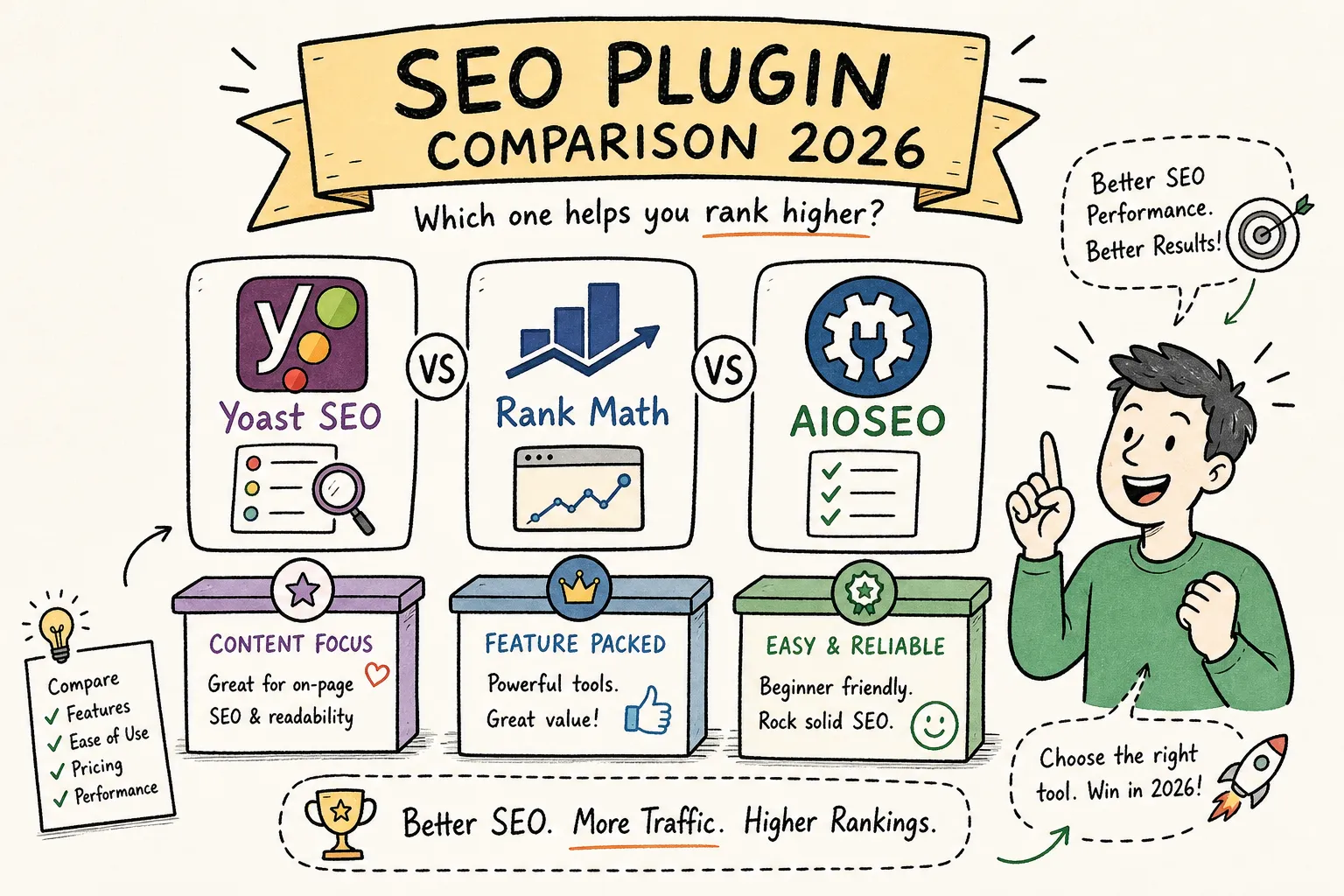
You’ve just installed WordPress, your site is live, and then it hits you: the plugin repository returns a dozen results for “SEO plugin,” each one promising to handle everything from schema to sitemaps to redirects. Yoast, Rank Math, AIOSEO, SEOPress, they all claim to be the best option for your site. If you’ve been putting off an SEO plugin comparison because the options feel overwhelming, you’re not alone. The problem isn’t a shortage of choices; it’s figuring out which one actually fits your workflow, your site type, and your budget without locking you into something you’ll regret in six months.
The stakes here are real. The plugin you choose controls your meta titles, meta descriptions, schema markup, XML sitemaps, redirects, and the content analysis you interact with every single time you hit publish. Get it right and you barely notice the plugin is there. Get it wrong and you’re either fighting feature walls on the free tier or facing a messy migration that puts your rankings at risk. This comparison exists so you don’t have to learn that lesson the hard way.
What follows is a head-to-head evaluation covering Yoast, Rank Math, AIOSEO, and SEOPress across every criterion that actually matters: ease of use, feature depth, performance impact, pricing, and best fit by site type. Here at AISEO Round Table, we’ve also published individual deep-dive reviews for each plugin, so once you make your decision here, you can jump straight to the full setup tutorial for your chosen tool.
Why your choice of SEO plugin shapes your entire on-page workflow
Most WordPress users install an SEO plugin the way they install a contact form: quickly, without much deliberation, and then they move on. That approach works fine for contact forms. It doesn’t work for SEO plugins because this choice touches far more of your site than any other plugin you’ll install.
An SEO plugin writes to your WordPress database every time you save a post or page. It stores your custom meta titles, meta descriptions, canonical URLs, Open Graph tags, and schema settings in plugin-specific database fields. Once thousands of posts have metadata stored under one plugin’s format, switching becomes a real project, not a five-minute swap.
What’s actually at stake when you activate an SEO plugin
Each plugin writes metadata to its own custom database fields. Yoast stores data under field names like _yoast_wpseo_title and _yoast_wpseo_metadesc. Rank Math uses its own naming conventions. If you deactivate one plugin and activate another without running a proper import, those field names don’t automatically translate. The result is blank title tags and missing meta descriptions across your entire site, and Google will notice before you do.
This isn’t meant to scare you away from ever switching plugins. It’s meant to make you take this decision seriously so you choose right the first time and avoid that cleanup entirely.
The criteria used in this comparison
Every section that follows evaluates each plugin across five dimensions: ease of setup and daily use, feature depth (schema, sitemaps, redirects, breadcrumbs, and local SEO), performance impact on page speed and memory, pricing across free and premium tiers, and best fit by site type. Each criterion maps directly to a real decision point, so you’ll know exactly which factors matter most for your situation by the end.
Meet the four contenders: a quick snapshot before the detail
Before getting into the criteria, here’s a quick orientation on each plugin. Understanding their positioning helps you read the rest of the comparison with the right context.
Yoast SEO: the market leader with a long track record
Yoast has over 13 million active installs and holds a 4.8/5 rating from more than 27,000 reviews on WordPress.org, making it the most widely installed SEO plugin in the WordPress ecosystem by a wide margin. It earned that position by being the default recommendation for years, and its familiar red/amber/green content analysis lights have trained a generation of WordPress publishers. That market dominance is real, but it doesn’t automatically mean Yoast is the best fit for every site type or budget.
Rank Math: the feature-rich challenger eating Yoast’s lunch
Rank Math has grown to 3M+ active installs with a 4.9/5 rating from over 5,000 reviews, and it’s been gaining ground consistently since its free tier launched with features that most plugins reserve for paid plans. Intermediate SEOs in particular have gravitated toward Rank Math because it gives them redirect management, multi-keyphrase optimization, and advanced schema right out of the box without pulling out a credit card. Its setup wizard is also among the most comprehensive of any SEO plugin available today.
AIOSEO and SEOPress: the underdogs worth considering
AIOSEO (All in One SEO) also sits at 3M+ active installs and deserves serious consideration, particularly for small business owners and WooCommerce stores. Its guided setup experience and built-in local SEO support make it a strong choice for users who want structured help rather than a blank canvas. SEOPress sits at 300K+ installs and targets a different audience entirely: developers and performance-focused builders who want a lean, low-bloat plugin that stays out of the way. Both plugins have genuine strengths in specific use cases that the install numbers alone don’t reveal.
SEO plugin comparison: ease of setup and daily use
For bloggers and small business owners who aren’t running a digital agency, onboarding experience often matters more than any single advanced feature. A plugin you can configure correctly in 30 minutes beats a technically superior plugin that takes three hours and three YouTube tutorials to set up.
First-time configuration: setup wizards compared
Rank Math’s setup wizard is the most comprehensive of the four. It walks you through site type selection, Google Search Console integration, schema configuration, sitemap setup, and basic social profile linking in a single guided flow. AIOSEO runs a similar structured wizard that covers the core bases well and feels particularly well-suited to users who want hand-holding through initial configuration. Yoast’s wizard is more basic by comparison, handling the essentials but leaving more for the user to configure manually. SEOPress’s setup is the most minimal of the group and assumes you already know what you’re doing.
The content editor experience: traffic lights vs. actionable scores
Yoast’s red/amber/green readability and SEO lights are the most recognizable editor interface in WordPress SEO. They’re familiar, but they’re also rigid, and many writers end up chasing green lights in ways that actually harm their content. Rank Math replaces that system with a 100-point score, which some users find more motivating and less anxiety-inducing because partial improvement is visible rather than binary. For newer writers, Rank Math’s scoring system tends to produce better content decisions because it rewards incremental progress rather than demanding perfection on every signal. AIOSEO and SEOPress take a more neutral analysis approach in the editor, providing feedback without the gamification.
Dashboard usability and ongoing management
Once your site is live and you’re managing dozens or hundreds of posts, the dashboard experience becomes daily friction you either fight or flow through. Rank Math’s module-based dashboard makes it easy to enable only the features you need and access redirect management, schema settings, and analytics in one place. AIOSEO’s dashboard is similarly clean and organized. Yoast’s dashboard is more fragmented, and some features like advanced redirect management require premium add-ons. SEOPress keeps its dashboard lean by design, a feature if you want simplicity, a limitation if you want everything in one screen.
Feature breakdown: schema, sitemaps, redirects, and local SEO
All four plugins support schema markup, XML sitemaps, redirects, breadcrumbs, and local SEO in 2026. The differences show up in how deep those features go, which tier they’re locked behind, and how much manual configuration they require.
Schema markup: who does structured data best
Rank Math is the consistent standout for schema in the free tier, offering advanced schema generation that includes article, product, FAQ, HowTo, and local business schema without requiring an upgrade. AIOSEO’s JSON-LD schema implementation stands out for clarity and explicitness, making it a strong choice for users who want rich snippet support without heavy technical configuration. Yoast includes automatic structured data as part of its core plugin, covering the essentials reliably. SEOPress supports schema markup but with less granular control in the free version, making it more suitable for users with simpler schema needs.
Redirect management and XML sitemaps
This is where the free vs. premium divide becomes most visible. Rank Math and AIOSEO both include redirect managers in their free plans, which is a genuinely significant value difference compared to Yoast, where redirect management requires upgrading to Premium at $118.80/year per site. All four plugins handle XML sitemaps competently, but Yoast’s sitemap implementation has the longest track record and is one of the most battle-tested options for large sites with thousands of indexed pages.
Breadcrumbs, local SEO, and WooCommerce support
All four plugins support breadcrumbs, so that’s not a differentiating factor. Local SEO and WooCommerce support, however, are where the gaps open up. AIOSEO has the most explicit and feature-complete local SEO support in 2026, with built-in local business data, NAP schema, and Google Business-related schema included in its premium plans starting at $49.50/year for a single site. Rank Math also supports local SEO in its free tier, which gives it an edge for users who want local business schema without paying extra. If you want the full local SEO and AIOSEO feature walkthrough, AISEO Round Table has dedicated deep-dive reviews for both Yoast and AIOSEO that cover those workflows step by step.
SEO plugin comparison: speed and memory benchmarks
Page speed affects both user experience and Core Web Vitals scores, so adding a heavy plugin to an otherwise optimized site is a real tradeoff. The benchmark figures below are drawn from publicly available data across multiple plugin comparison reviews rather than an independent lab test, so treat them as directional numbers rather than absolute values. That said, the directional story is consistent across sources. For more on reducing plugin weight and improving load times, see the Best WordPress Plugins for Speed Optimization guide.
The benchmark numbers and what they mean
Rank Math adds the smallest overhead of the four plugins: approximately +0.01 seconds and +0.35MB of memory on a typical WordPress install. SEOPress sits in the middle at +0.09 seconds and +0.58MB. Yoast adds more noticeably at +0.18 seconds and +1.62MB. AIOSEO is the heaviest of the group at +0.56 seconds and +2.07MB of additional memory usage. For context, the gap between Rank Math and AIOSEO in page speed terms is over half a second, meaningful when you’re already close to Core Web Vitals thresholds.
| Plugin | Added Load Time | Added Memory |
|---|---|---|
| Rank Math | +0.01s | +0.35MB |
| SEOPress | +0.09s | +0.58MB |
| Yoast SEO | +0.18s | +1.62MB |
| AIOSEO | +0.56s | +2.07MB |
When plugin weight actually matters for your site
If your site is on fast managed WordPress hosting (see our Best WordPress Hosting Providers: Top Choices for Optimal Performance in 2025), already well-optimized, and passes Core Web Vitals comfortably, the difference between Rank Math and Yoast won’t be noticeable to your visitors or your rankings. The performance delta becomes relevant in two scenarios: you’re building a lean, performance-first site where every millisecond counts, or your site is already borderline on Core Web Vitals and adding heavier overhead could tip you into failing scores. For high-traffic sites where performance is a priority, Rank Math and SEOPress are the better choices. For most new blogs on solid hosting, this factor alone shouldn’t drive your decision.
Free SEO plugins comparison: pricing and what each tier actually covers
All four plugins use a freemium model, but the quality of the free tier varies enormously. Understanding exactly where each plugin draws its paywall determines whether you’ll need to upgrade within your first year or whether the free version can carry you for a long time.
What you actually get on the free tier
Rank Math’s free tier is genuinely feature-rich. You get redirect management, multi-keyphrase optimization, advanced schema generation, local SEO support, and a clean setup wizard without paying anything. Yoast’s free tier covers the core basics well, meta title and description control, XML sitemaps, and breadcrumbs are all included, but you hit the paywall quickly when you want redirect management, multiple focus keyphrases, or internal linking suggestions. AIOSEO’s free tier is functional, covering sitemaps, basic schema, and social integration. SEOPress free is competitive in value, covering metadata, sitemaps, Google Analytics integration, and content analysis with unlimited keywords.
Premium plan costs and whether they’re worth it
Yoast Premium runs $118.80/year per site. That unlocks up to five keyphrases, AI-generated meta titles and descriptions, redirect management, internal linking suggestions, orphaned content detection, and 2026 additions like a bot blocker, llms.txt management, and IndexNow integration. For a single site where those AI features are a priority, Yoast Premium is defensible. For additional premium plugin recommendations, see AISEO Round Table’s Best Premium WordPress Plugins Worth Investing In.
Rank Math Pro starts from $5.99/month for unlimited sites, which makes it a dramatically better deal for freelancers and agencies managing multiple client sites. AIOSEO’s Basic plan starts at $49.50/year for one site and includes WooCommerce support, TruSEO analysis, AI meta generation, and unlimited keyword tracking. SEOPress Pro starts at $49/year for one site, with a five-site plan at $59/year and an unlimited-sites plan at $149/year, and its pricing stays consistent at renewal rather than jumping up after the first year.
Which plugin fits your site type best
The criteria-by-criteria breakdown above is useful, but most readers want a direct answer to one question: which plugin should I install for my specific situation? Here’s where this comparison earns its keep.
Best pick for bloggers and content creators
Rank Math is the strongest recommendation for the majority of bloggers and content creators. Its free tier outperforms every other plugin in the category, its setup wizard gets you configured quickly, its performance footprint is the lightest, and its schema support is genuinely advanced. For a new blogger who wants professional-grade SEO tooling without paying anything upfront, Rank Math is the clear choice. If you want the full Rank Math setup walkthrough with screenshots and step-by-step configuration, check out AISEO Round Table’s dedicated Rank Math tutorial.
Best pick for small businesses and local SEO sites
AIOSEO is the standout for small businesses that need local SEO support and want a guided setup experience. Its built-in local business schema, NAP data management, and Google Business-related structured data make it the most complete option for businesses trying to rank in local search results. The Plus plan at $99.50/year for three sites adds dedicated Local SEO and Image SEO modules, which is solid value for a business owner managing their primary site and a few related properties. Yoast is a reliable fallback for small business owners who are already familiar with it and don’t need advanced local schema support.
Best pick for WooCommerce and ecommerce stores
Rank Math is the strongest all-around option for WooCommerce product schema and ecommerce SEO integration. It handles product pages, category pages, breadcrumbs, image sitemaps, and redirects natively, including solid WooCommerce schema support in its free version. AIOSEO is also competitive for WooCommerce, with explicit ecommerce modules in its higher-tier plans. Yoast covers WooCommerce basics but requires a separate add-on at $178.80/year for full WooCommerce SEO functionality, which makes it a harder recommendation for store owners who want deep native integration. SEOPress at $49/year is worth considering for developers building custom stores who want to stay light and maintain full control over their theme and schema output. For a practical implementation guide, see this walkthrough on how to add WooCommerce product schema.
How to migrate SEO plugins without tanking your rankings
Plugin migration is the source of more unnecessary ranking drops than almost any other SEO mistake. The good news is that the major plugins, particularly Rank Math and AIOSEO, have built migration wizards that handle most of the heavy lifting when moving from Yoast. The bad news is that those wizards only work correctly if you follow a specific order of operations.
What to do before you touch anything (pre-migration checklist)
Start with a full site backup, including both your database and your files. No exceptions. Next, inventory all your existing redirects, whether they’re stored in Yoast Premium or a separate redirect plugin, so you know exactly what needs to be carried over. Note the sitemap URL you’ve submitted in Google Search Console because the new plugin may generate a different URL. If your current plugin allows settings export, run that export and save it. Screenshot meta titles and descriptions on your five to ten most important pages so you have a reference point to verify against after the migration completes.
The migration process step by step
- Install Rank Math (or AIOSEO) and activate it alongside Yoast. Don’t deactivate Yoast yet.
- Open Rank Math’s Setup Wizard. It will detect Yoast and prompt you to deactivate it before importing.
- Click Start Import and wait for the progress bar to reach 100% before clicking Continue. Do not rush this step.
- After the wizard completes, manually verify your five to ten most critical pages: check the SEO title, meta description, canonical URL, Open Graph tags, and schema output in the page source.
- Submit the new sitemap URL in Google Search Console and remove or update the old one.
- Only after you’ve confirmed everything looks correct should you deactivate Yoast and run its data cleanup tool.
For redirect migration specifically, Rank Math’s wizard can import redirects stored in Yoast Premium directly through the same import flow. After the wizard, navigate to Rank Math SEO → Status and Tools → Import and Export to run any additional data imports for items the wizard may have missed. If you’d like an alternate step-by-step walkthrough, third-party guides on migrating from Yoast to Rank Math are helpful, and Yoast’s own documentation covers the reverse flow in their article on how to migrate from Rank Math to Yoast SEO.
Common mistakes that cause ranking drops after migration
The most common error is deleting Yoast’s database data before confirming the import had completed correctly. That data is your safety net; removing it before verification leaves you with no fallback if the import missed fields. A close second is forgetting to update the sitemap URL in Search Console, which can slow down indexing of new content for weeks. Running both plugins simultaneously without disabling one plugin’s output also creates duplicate meta tags, which confuses both users and search engines. Finally, missing redirect imports is the mistake most likely to cause actual traffic loss, because formerly high-traffic URLs that return 404s lose their ranking signals quickly.
The final verdict: which WordPress SEO plugin should you install
After running through every criterion, the picture is clear enough to give you a direct recommendation rather than a vague “it depends.” Here’s where each plugin lands.
Overall winner, runner-up, and best for specific cases
Rank Math wins this SEO plugin comparison for most WordPress users in 2026. Its free tier is the most generous in the category, its performance footprint is the smallest, its schema support is genuinely advanced, and its Pro pricing for unlimited sites makes it the best value for anyone managing more than one WordPress installation. For the majority of bloggers, affiliate marketers, content creators, and freelance SEOs reading this, Rank Math is the right install.
Yoast remains a solid, trusted runner-up for users who prioritize the most established plugin ecosystem or specifically want the 2026 AI content features like AI-generated meta descriptions, bot blocking, and llms.txt management. Its 13 million active installs mean deep compatibility with virtually every WordPress theme and plugin, and its battle-tested sitemap implementation is still the most reliable option for very large sites.
AIOSEO earns the top spot for local SEO and WooCommerce use cases, particularly for small business owners who want guided configuration and comprehensive local business schema without piecing together multiple plugins. SEOPress is the lean developer’s choice: low overhead, competitive Pro pricing, and minimal bloat for performance-conscious builders who know exactly what they need.
Where to go next: deep dives for every plugin
Now that you’ve made your decision, the logical next step is getting the plugin configured correctly. AISEO Round Table has published individual setup tutorials for Yoast, Rank Math, and AIOSEO with full screenshots, step-by-step configuration walkthroughs, and plugin-specific tips for different site types. Each guide is built for non-technical users who want to get it right without cross-referencing documentation from three different sources. Head to the plugin review that matches your choice and follow the setup guide from start to finish.
This seo plugin comparison covers the four best WordPress SEO plugins for independent site owners in 2026, but the landscape does shift. Rank Math in particular has been adding features at a fast pace, and Yoast continues evolving its AI toolkit. AISEO Round Table updates its plugin reviews regularly as new features roll out, so bookmark the site if you want to stay current on which tool is earning its place in your WordPress stack. For a concise roundup of popular SEO plugins, see this best WordPress SEO plugins list.