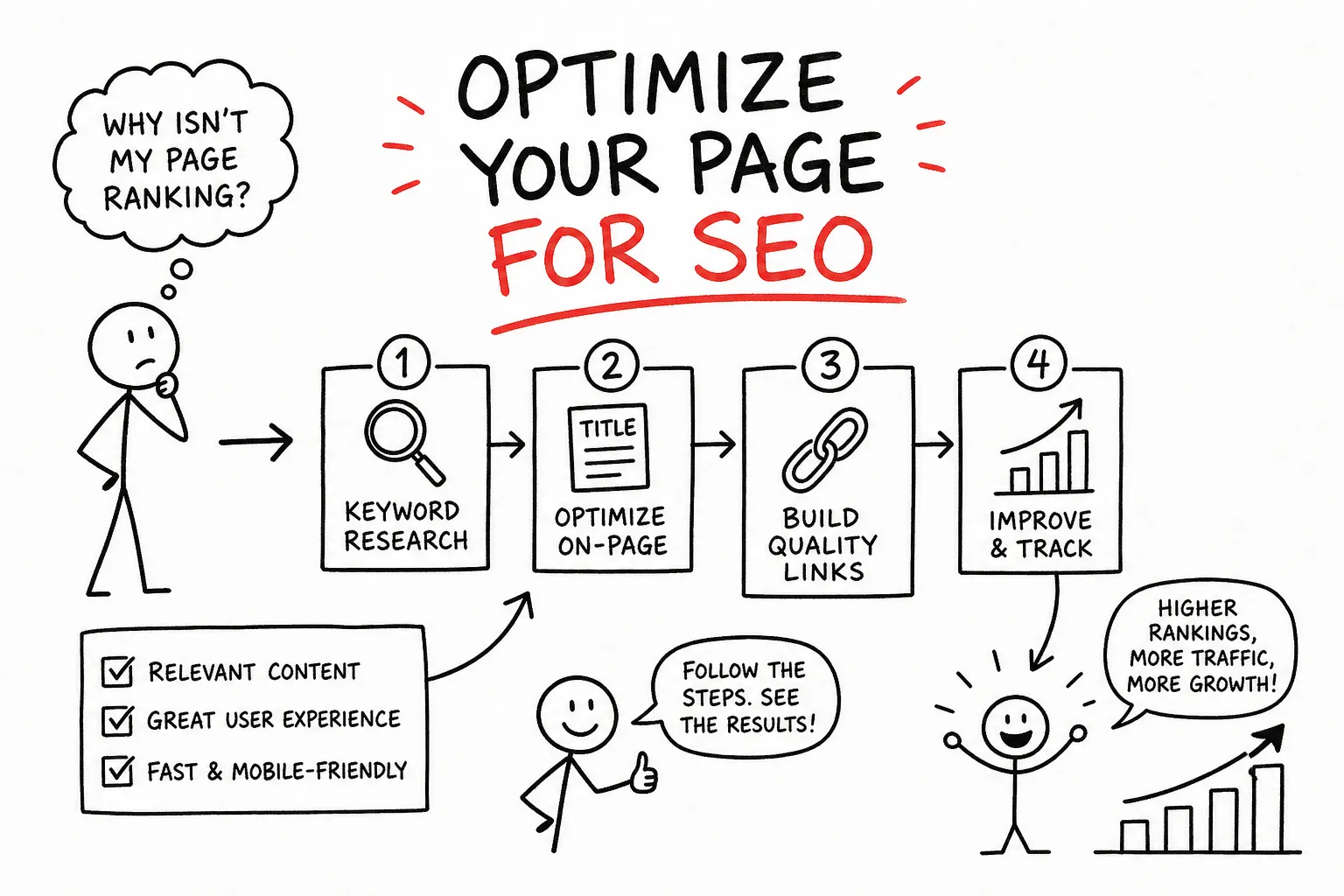
You publish a blog post, wait a few weeks, and then check Google. Nothing. Not on page one, not on page two, barely anywhere. The frustrating part is that the topic was solid and the writing was decent. The real problem, in most cases, is that the page was never properly set up to rank. Publishing content without optimizing it is like opening a store with no sign out front. So how do I optimize a page for SEO, and where do I even start?
At AISEO Round Table, every article goes through a structured on-page review before it goes live. This guide walks through that exact process using a real example, a blog post called “Best Protein Powder for Beginners”, so every step is grounded in something you can picture. By the time you finish reading, you’ll know what to fix, why it matters, and what order to work in.
How do I optimize a page for SEO? Start here.
Most beginners try to rank a single page for ten different keywords and end up ranking for none of them. Search engines need a clear signal about what a page is fundamentally about. When a page tries to serve too many queries at once, it dilutes that signal and competes with itself. The fix is simple: one primary keyword per page, with every other element supporting that central topic.
For the example post, “best protein powder for beginners” is the target. That phrase signals a commercial/informational intent, the reader wants guidance and recommendations, not a technical breakdown of amino acid chains. Once you know the intent, every decision that follows becomes easier: what to put in the title, how to structure the intro, which subtopics to cover.
What on-page SEO actually controls
On-page SEO covers everything within your own HTML: tags, headings, body content, links, and images. It does not control backlinks, domain authority, or how other sites reference you. This distinction matters because beginners often spend hours optimizing a page and then wonder why it’s not ranking, without realizing the gap is off-page. Set realistic expectations: great on-page work is necessary, but it’s not the only variable. It is, however, the one you have complete control over.
Title tags, meta descriptions, and your H1
These three elements are what users and search engines encounter before reading a single word of your content. A weak title costs you clicks even if you manage to rank. A vague meta description leaves potential visitors scrolling past. Getting these right is the fastest win available on any page.
Writing a title tag that ranks and earns clicks
Keep your title tag between 50 and 60 characters. Put the primary keyword near the front, and add a qualifier that gives the reader a reason to click. Compare these two versions: “Protein Powder Post” versus “Best Protein Powder for Beginners: 7 Top Picks.” The second version front-loads the keyword, signals a list format readers trust, and offers a specific benefit. Google rewrites titles that are keyword-stuffed, truncated, or misaligned with the page content, so write for the reader first and the algorithm will follow.
The meta description and H1 rule
Meta descriptions don’t directly influence rankings, but they drive click-through rate, which absolutely affects your traffic. Aim for 120 to 160 characters and treat it like a mini sales pitch: summarize the page’s value and include a relevant keyword phrase naturally. Keep in mind that Google may rewrite your meta description, and display is based on pixel width rather than a strict character count, so clarity and conciseness matter more than hitting an exact number. For the H1, follow a simple rule: every page gets exactly one. It should reflect the same intent as the title tag without being word-for-word identical. For the example post, the H1 might read “The Best Protein Powders for Beginners, Ranked and Reviewed” while the title tag says “Best Protein Powder for Beginners: 7 Top Picks.”
Keyword placement and subheading structure in the body
Natural keyword placement is the goal here, not a target density, not a rigid keyword count. If you’re writing a thorough, well-organized post about the best protein powders for beginners, the keyword will appear naturally throughout. The structure of the page, meaning how you use H2s and H3s, signals the depth and organization of your coverage.
Where your primary keyword belongs in the body
Use the primary keyword early, ideally within the first paragraph, to confirm for search engines what the page is about right away. After that, let it appear naturally where it fits the sentence, not where you force it. Keyword stuffing hurts readability and can harm rankings; if you read a sentence aloud and the phrase sounds repeated just for SEO, it probably is. For the protein powder example, the intro paragraph mentions the exact phrase, a few H2s reference related terms like “top picks for new gym-goers,” and the keyword shows up organically throughout without being shoehorned into every paragraph.
Using H2 and H3 subheadings to organize subtopics
H2s map to your main sections and H3s go deeper within those sections. Subheadings serve two purposes: they help readers scan and navigate, and they give search engines a content map of the page. For the protein powder post, subheadings like “What to look for in a protein powder” and “How much protein do beginners actually need” reinforce the topic without repeating the exact keyword in every header. Semantic terms keep the content rich and relevant.
Internal links, external references, and content credibility
This is the layer most beginners skip. Internal links help search engines understand how pages on your site relate to each other, and they keep readers moving through your content longer. External references build trust by connecting your content to authoritative sources. For example, a post citing a peer-reviewed protein intake study signals more credibility than one that doesn’t. Both signals matter when Google evaluates whether a page deserves to rank.
Internal linking with natural anchor text
Internal links guide users to related content while helping crawlers map your site’s structure. The protein powder post might naturally link to a related article on tracking macros or building a beginner gym schedule, using descriptive anchor text like “how to track your daily protein intake” rather than “click here.” A practical rule: link to and from pages that share topical relevance. For a list of related posts, see our On-Page SEO Tips, Content Optimization & Ranking Factors. The more cohesive your internal link structure, the clearer your site’s authority on a subject becomes.
External references and E-E-A-T signals
Linking out to credible sources, such as studies, established health organizations, or respected publications, is a trust signal for informational pages. When the protein powder post cites a protein intake recommendation, linking to a reputable nutrition source adds the kind of credibility that thin affiliate content typically lacks. This is especially important for health, finance, and legal topics where Google’s quality evaluators pay close attention to expertise and authority signals.
Image optimization: alt text, file names, and formats
Images can slow pages down significantly, and without proper setup they contribute little to your SEO. Search engines can index images through file names, surrounding text, and structured context, but accessibility and ranking both improve when images have descriptive alt text, meaningful filenames, and are served in optimized formats. Every image you publish is an opportunity you’re either using or wasting. Three levers cover the essentials: alt text, file naming, and format/compression.
Writing alt text that describes the image
Alt text serves two audiences: screen reader users and search engine crawlers. The goal is to describe what’s actually in the image clearly and in context. For the protein powder post, alt="chocolate whey protein powder in a white scoop on a wooden table" is far better than alt="best protein powder" or no alt text at all. Keep descriptions under 125 characters, lead with the most important detail, and skip filler phrases like “image of” or “photo of.” Include a keyword only if it genuinely fits the image, never stuff it.
File names, image formats, and compression
Rename image files before uploading them. “IMG_4520.jpg” tells search engines nothing, but “chocolate-whey-protein-powder.jpg” reinforces the topic. For format, AVIF is the strongest modern option where your platform supports it, it typically delivers smaller file sizes at comparable quality, though it often needs a lower quality setting (around 60 to 70 percent) than other formats to achieve similar visual results. WebP is the widely supported fallback and a solid default for most workflows. JPEG remains acceptable for legacy compatibility. Compress images before upload and test visually rather than relying on a single universal percentage, since the right setting varies by format and image type. Use responsive images with srcset to serve appropriately sized files to different viewports. A slow-loading image on mobile is often the reason a visitor bounces before the page fully renders. That hurts both user experience and your Core Web Vitals scores.
Structured data and schema markup
One element many beginners overlook entirely is schema markup, a layer of structured data added to your HTML that helps search engines understand the specific type of content on a page. Schema doesn’t guarantee ranking improvements on its own, but it can unlock rich results in the SERP: star ratings, FAQ dropdowns, recipe cards, and more.
For a post like “Best Protein Powder for Beginners,” Article schema is a straightforward starting point. If the post includes a Q&A section, FAQ schema can make those questions and answers eligible to appear directly in the search results. Recipe pages benefit from Recipe schema that surfaces cook time, ratings, and ingredients without a user needing to click through. Tools like Google’s Rich Results Test let you validate your markup before publishing. Adding schema is a one-time setup that compounds over time as your pages earn rich result eligibility.
Check if your page can compete before you publish
Optimizing the page itself is only half the equation. Before publishing, you need to know whether your on-page work is realistically enough to compete with what’s already ranking. Skipping this step means you can spend hours polishing a post that’s going up against pages from authoritative domains with hundreds of backlinks, and no amount of on-page work closes that gap alone.
What a competitive SERP tells you
The difficulty of ranking depends heavily on who’s already sitting on page one. A quick SERP evaluation helps you calibrate expectations before you invest time in a page. If page one is stacked with major publications and well-established blogs, you may need to build more topical authority before targeting that keyword. If you see smaller sites and thinner content ranking, there’s real opportunity for a well-optimized post to break through.
Using Mangools SERPChecker to size up the competition
Mangools SERPChecker gives beginners a clear breakdown of the top-ranking pages for any keyword: domain authority, backlink counts, page authority, and SERP features like featured snippets and People Also Ask boxes. For the protein powder query, SERPChecker shows you exactly what you’re competing against and whether there’s realistic room for a new post to rank.
The tool also flags SERP features that reduce organic click-through rate, which matters when deciding whether a keyword is worth targeting even if you could rank. Think of it as a pre-publish gut check. At AISEO Round Table, we walk through SERPChecker and the broader Mangools suite in detail; see our Step-by-Step SEO Audit Guide for Better Rankings if you want to see how these tools fit into a real content workflow from start to finish.
FAQ: How do I optimize a page for SEO?
Q: How do I optimize a page for SEO if I’m starting from scratch?
Start with keyword focus: pick one primary keyword, build your title tag and H1 around it, place it naturally in the first paragraph, and structure your subheadings to map the topic clearly. Then work through links, images, and schema before you publish. That sequence handles the fundamentals for most pages.
Q: How long does it take to see results after optimizing a page?
Four to six weeks is a reasonable window for a first check, but that’s a heuristic rather than a guarantee. Results depend on crawl frequency, competition level, and off-page factors. Some changes show up faster; others take months to fully reflect in rankings.
Q: Do I need schema markup to rank?
No, but schema can unlock rich result formats that improve click-through rate without requiring a higher ranking. It’s a low-effort addition once you understand the basics.
Put it all together: the page optimization process
To optimize a page for SEO, you’re working through a short checklist of deliberate decisions, keyword focus, title, content structure, links, images, schema, and competitive fit. Each element covered here compounds the others. A great title earns clicks; a well-structured body keeps readers engaged; clean images speed up load times. None of these work in isolation, but together they give a page a real foundation to rank on.
The fastest way to see improvement isn’t always publishing new content. Going back to fix an existing post using this framework can move rankings faster than adding something new. Pick one page you already have, run it through this process from top to bottom, and check what’s changed in four to six weeks. You’ll have a repeatable system by the time you’re done, and a much clearer answer every time someone asks: how do I optimize a page for SEO?
If you want more step-by-step guides, tool walkthroughs, and printable checklists for every part of this process, AISEO Round Table publishes them regularly. For a practical companion resource, see our On Page SEO Best Practices, or consult an external on-page SEO checklist to compare tactics and cross-check your work.