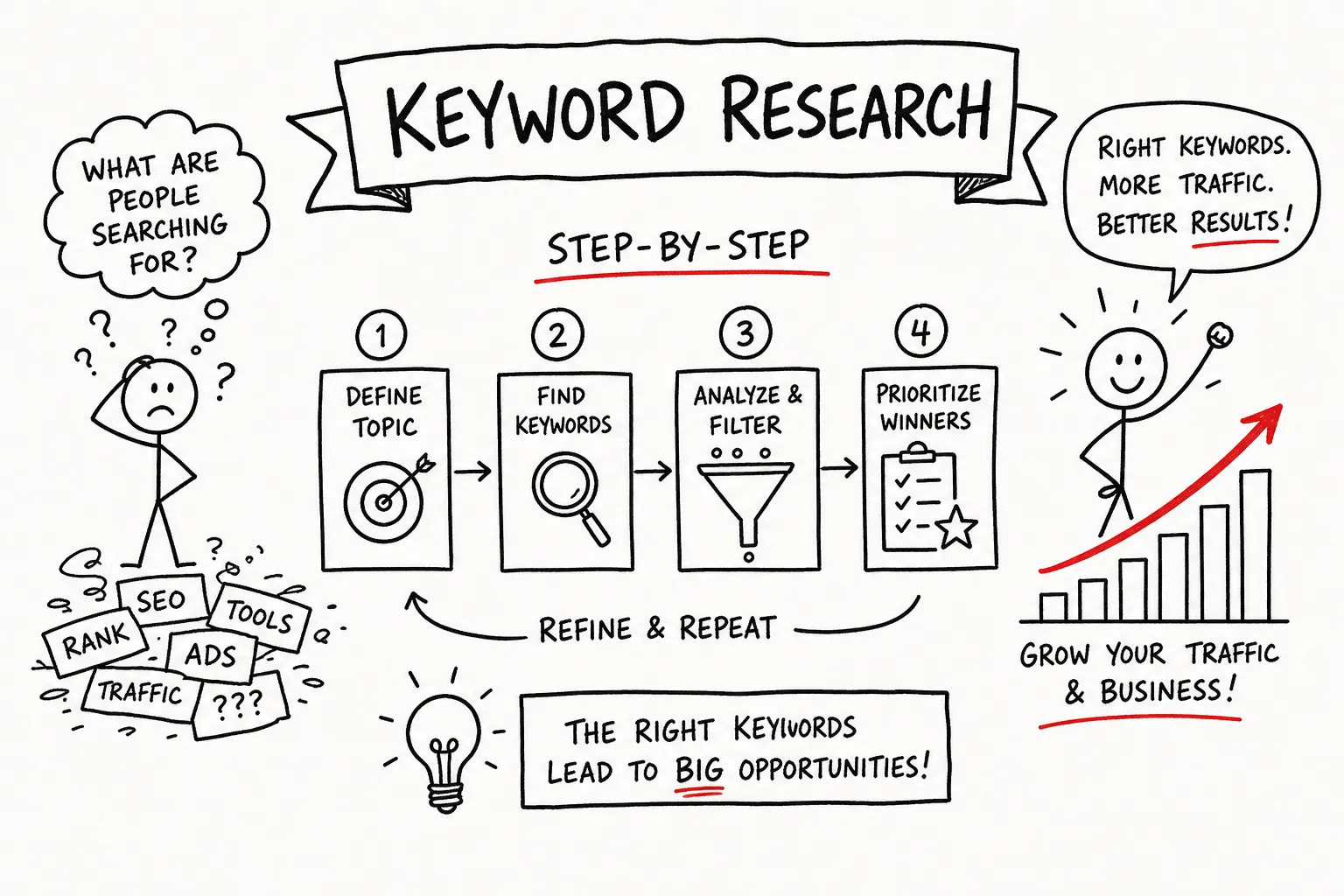
Many beginners skip keyword research entirely, or spend hours building a spreadsheet they have no idea how to act on. An effective keyword research workflow is one of the most important skills for improving content visibility, the difference between posts that climb the rankings and posts that sit on page four collecting dust. This guide covers five steps: generating seed keywords, evaluating volume and difficulty, matching search intent, choosing the right tools, and scoring your list into a real content plan. Each step builds on the last, so by the end you will have a repeatable workflow you can run every time you plan a new content push. At AISEO Round Table, we build guides exactly like this one because professional-level SEO should not require an agency retainer or an enterprise tool budget.
How to Do Keyword Research: Generate Your First Seed Keywords
Seed keywords are the short, foundational terms that describe your niche or topic. They are the starting point you expand into a full keyword list, not the final destination. The most important thing to understand is that seeds come from your own knowledge first, not from any tool. A tool can expand and validate ideas; it cannot replace the context you already have about your audience.
Start with what you know about your audience
The best mental exercise here is simple: what would a complete beginner type into Google when they first encounter the problem you solve? Forget the industry terminology you use internally and think about the plain-language phrases your customers or readers actually use. Pull seed ideas from your blog categories, your service names, your product names, and the questions your audience sends you most often. A small set of strong seeds, somewhere in the range of five to ten, is all you need to begin expanding.
If you run a fitness blog, seeds might be “home workout,” “weight loss diet,” and “beginner gym routine.” If you run an affiliate site covering software tools, your seeds might be “keyword research tool,” “SEO software,” and “rank tracker.” These are broad by design. The specificity comes in the next stage when you expand them.
Expand seeds using free Google signals
Before you open a single paid tool, use Google itself to expand your seeds. Type a seed keyword into Google and watch the Autocomplete suggestions appear. These are real queries people are actively typing, and they tend to be more current than many tool databases. The alphabet method takes this further: type your seed, add “a,” then “b,” then “c,” and record every suggestion that surfaces.
Once you run the search, look at the “People Also Ask” box and the “Related Searches” section at the bottom of the page. These two features show you the exact questions and variations real users are asking around your topic. A single seed keyword can surface a large batch of usable ideas from these free Google signals alone, with no subscription required.
Evaluating keywords: search volume and difficulty scores
Once you have a list of keyword ideas, the next step in learning how to do keyword research well is filtering them by two core metrics: search volume and keyword difficulty (KD). Neither metric works well in isolation. A keyword with 50,000 monthly searches and a KD of 75 is typically unrealistic for a new site without backlinks or established authority, and a keyword with zero monthly searches moves no traffic regardless of how easy it is to rank for.
What search volume numbers actually mean for a new site
For a beginner niche site, a practical starting target is the 10 to 100 monthly searches range. These terms are specific enough to be achievable and still meaningful. Keywords in the 50 to 100 range are excellent secondary targets, especially when the intent is commercial. Once you have built some authority, you can expand into the 100 to 1,000 range for broader topics.
Do not automatically discard zero-volume keywords. Niche and B2B terms can be highly profitable at 50 searches per month or fewer because the searcher is often deep in the buying cycle. Intent and conversion potential matter far more than raw volume for most beginner and affiliate sites. If you want a quick reference for what counts as a good keyword search volume, that guide provides helpful thresholds and context for small sites.
Reading keyword difficulty scores without overthinking them
Tools calculate KD differently, so the numbers are not interchangeable across platforms. Ahrefs bases its score on the number of referring domains pointing to the top 10 results: a KD of 0 to 10 is easy, and 40 or above becomes progressively harder to break into. Semrush uses a broader multi-factor formula combining backlink data, authority scores, and SERP characteristics; scores under 30% are generally beginner-accessible.
For a brand-new site with no backlinks, target keywords with a difficulty score under 25. Treat 0 to 30 as your realistic upper ceiling until you have established some domain authority. One important caveat: a low KD number still does not guarantee a ranking if the first page is dominated by extremely strong domains. Always pair the difficulty score with a quick visual SERP check. If you’d like methods for estimating difficulty without paid subscriptions, see this practical walkthrough on how to check keyword difficulty for free.
One critical point beginners get wrong: Google Keyword Planner’s “Competition” column is an ads metric, not an organic SEO difficulty score. A keyword showing “Low” competition in Google Ads can still be extremely hard to rank for organically. These are two completely different signals.
For a deeper process to analyze who you’re actually competing with on the SERP, see our competitor keyword analysis guide on AISEO Round Table.
Matching keywords to search intent before you write anything
Search intent is not a theoretical abstraction, it is a practical filter you apply before you write a single sentence. Choosing a keyword without confirming the right content type is one of the most costly beginner mistakes in any keyword research guide. A transactional keyword attached to an informational blog post will not rank because Google understands what format searchers expect and serves content that matches.
The four intent types and how to spot them in a query
Intent classification comes down to four categories, each with clear query signals that make them easy to identify once you know what to look for:
- Informational intent: the user wants to learn something, “how to,” “what is,” and “why” phrases are the clearest markers
- Navigational intent: the user wants to reach a specific site or brand, such as typing a company name or “login”
- Commercial intent: the user is in research mode, “best,” “vs,” “review,” and “alternatives” signal they are comparing options before deciding
- Transactional intent: the user is ready to act, “buy,” “price,” “coupon,” and “near me” tell you the conversion moment is close
If you want another perspective on how query types are commonly grouped and how that affects content strategy, this primer on the three types of search queries is a useful supplement.
How SERP composition confirms intent before you commit
Run the keyword in Google and read the first page. This 30-second check eliminates all guesswork. If featured snippets and “People Also Ask” boxes dominate the results, the intent is informational. If shopping carousels and product pages fill the page, the intent is transactional. If the page is full of review roundups and comparison articles, the intent is commercial.
If every first-page result is a listicle comparing five tools, writing a single in-depth tool tutorial for that keyword will not rank, no matter how good the content is. Match your content format to what already ranks. The SERP is showing you exactly what Google has decided searchers want, use that information before you write a word.
Free and paid tools that make keyword research faster
A solid first pass at keyword research is doable with free tools alone. Where free tools fall short is depth and speed: they show limited data, require manual cross-referencing across multiple tabs, and the workload grows quickly as your list expands.
Free tools worth using from the start
Four free tools cover the core needs for most beginners running a keyword analysis on a tight budget:
- Google Keyword Planner: best for raw volume estimates and CPC data; the closest thing to a source-of-truth for keyword demand, though built primarily for paid search
- Google Search Console: best for finding what your site already ranks for; shows actual query impressions, clicks, CTR, and average position from real performance data
- Google Trends: best for seasonality and rising queries; tells you whether interest in a topic is growing, declining, or cyclical before you commit content resources
- AnswerThePublic: best for question-based and long-tail discovery; maps how people phrase searches in natural language, which is especially useful for informational content
When a dedicated keyword tool pays for itself quickly
Free tools require you to juggle multiple tabs, manually cross-reference volume and difficulty, and make judgment calls without SERP-level data. A dedicated tool like KWFinder consolidates volume, keyword difficulty, SERP analysis, related keywords, and ranking page data into one interface, cutting the manual spreadsheet work down significantly. For anyone building a content plan beyond a handful of posts, that all-in-one view removes a real amount of friction from the research process.
AISEO Round Table has published an in-depth KWFinder review covering its features, pricing tiers, and how it compares for beginners and small-budget sites. If you want to see one of these tools in action before committing to a paid plan, that review is the most practical next step after finishing this guide. For broader comparisons and editor roundups of the best keyword research tools, that Zapier roundup is a useful second opinion when choosing which paid tool to test.
How to Do Keyword Research: Prioritize Keywords and Build a Content Plan
Having a keyword list is not the same as having a content plan. The final step is scoring your keywords so you know what to write first. A simple opportunity score weighs four factors: volume (25%), inverse difficulty (35%, so easier keywords score higher), intent alignment (20%), and business value (20%). You can apply this logic manually, a rough pass across 20 keywords is quick work and you do not need a complex spreadsheet formula to get useful results.
A simple scoring method to rank your keyword opportunities
Compare two keywords side by side to see the method in action. Keyword A has 8,000 monthly searches and a KD of 65. Keyword B has 200 monthly searches and a KD of 18 with strong commercial intent tied to a product you review. Keyword A looks impressive on volume alone, but the difficulty score makes it unreachable for a new site. Keyword B scores significantly higher once you factor in the lower difficulty weight (35%) and the commercial intent alignment (20%). Starting with Keyword B leads to a ranking, a traffic win, and the authority signals you need to eventually compete for Keyword A.
The fastest early wins always come from low-KD keywords with clear commercial or informational intent, not from chasing the highest search volumes on your list.
Mapping keywords to content types and scheduling first
Once you have scored your list, match each top keyword to the right content format: how-to guides for informational intent, comparison posts and reviews for commercial intent, product pages or local landing pages for transactional intent. Group related keywords together so one piece of content can target a cluster rather than a single phrase, see our guide on keyword clustering to organize those groups effectively. A how-to guide on “keyword research for beginners” can naturally incorporate “seed keywords,” “keyword difficulty,” and “search intent” within the same article.
A small prioritized list, 10 to 15 keywords, can comfortably fill a two- to three-month content calendar. You do not need 200 keywords before you start writing. Start small, publish, track rankings in Google Search Console, and repeat the process for the next content push.
Your keyword research workflow starts today
The five steps are straightforward: generate seeds from your own knowledge and free Google signals, filter by volume and keyword difficulty, confirm intent with a quick SERP check, use the right tools for your current budget and list size, then score and map your keywords into a prioritized content plan. That is the full picture of how to do keyword research in a way that actually produces rankings.
Keyword research compounds, each pass gets faster and your instincts sharpen. You run this workflow every time you plan a new batch of content, and the process becomes second nature quickly. A clear, repeatable workflow consistently produces better outcomes than ad-hoc research, regardless of experience level.
Your next step is seeing this workflow applied to a real tool. Head over to the KWFinder review on AISEO Round Table to see exactly how volume, difficulty, and SERP data come together in one interface, and decide whether a paid plan makes sense for where your site is right now.