How do I do SEO for my ecommerce website? It’s one of the most common questions store owners ask, and one of the most poorly answered. Many small store owners land in one of two situations: they skip SEO entirely and lean on paid ads, or they borrow blog SEO tactics for their product pages and wonder why nothing sticks. Both paths drain time and money. Ecommerce SEO has its own rules, distinct page types, and technical landmines that blog tutorials never mention.
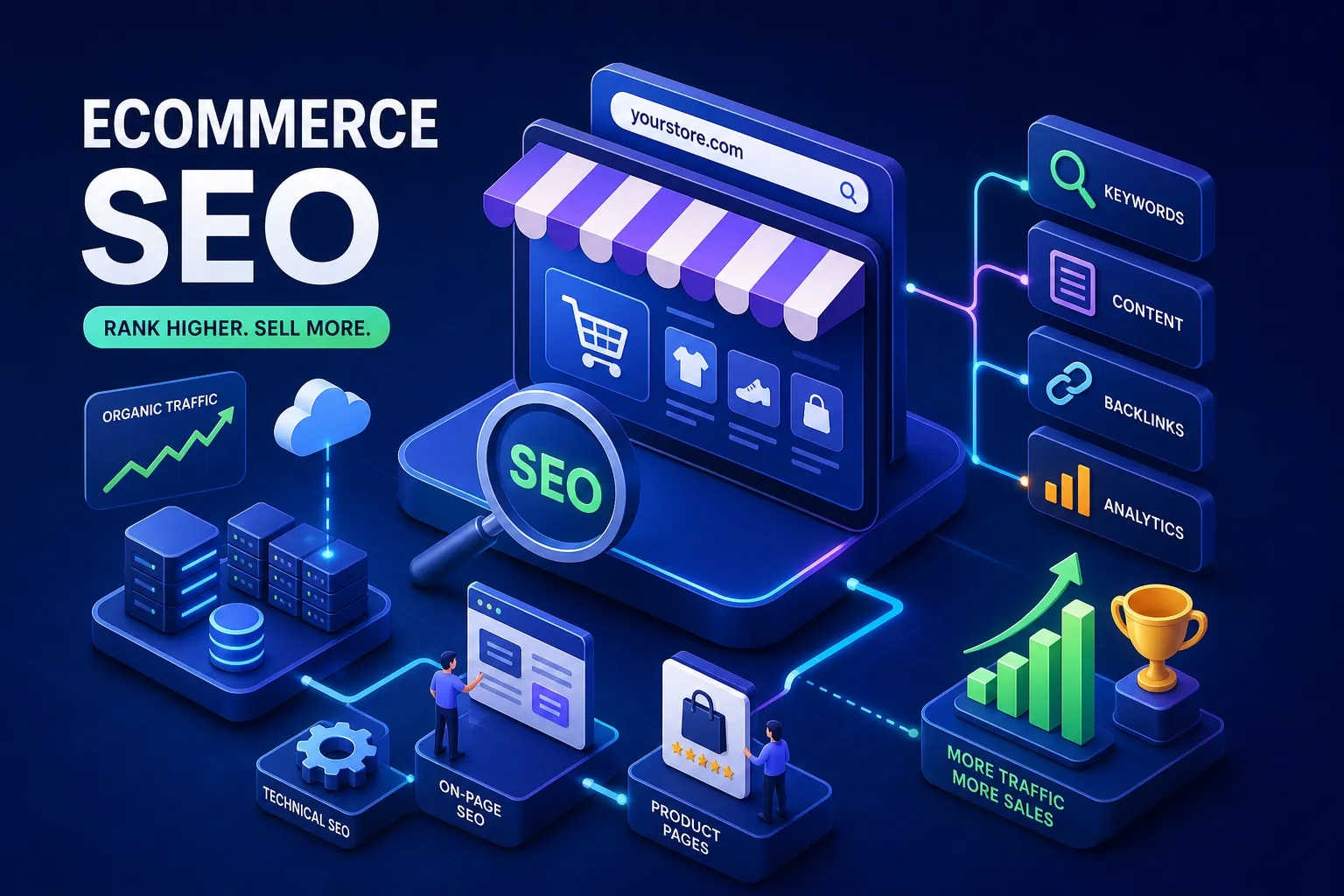
This guide walks through exactly how to do SEO for an ecommerce website without hiring an agency or buying a bloated tool stack. You’ll cover keyword research mapped to the right page types, product and category page optimization, structured data, the technical fixes that actually move rankings, and how to measure whether your work is paying off. Work through it section by section and you’ll have a complete ecommerce SEO plan by the end.
Why ecommerce SEO is different from blog SEO
If you’ve spent any time optimizing blog content, your instincts are partially useful here, but the mindset shift matters before you touch a single page. Blog SEO chases informational intent. Ecommerce SEO chases buyers. Those are two very different audiences with very different expectations from a search result.
There’s also a structural complexity that blogs never deal with. A store with 300 products, 40 categories, and faceted navigation filters can generate thousands of crawlable URLs before you’ve written a single word of content. Google has to make sense of all of it, and if the architecture isn’t clean, even great product copy won’t save your rankings.
The intent gap between shoppers and readers
Someone searching “how to choose trail running shoes” wants information. Someone searching “waterproof trail running shoes women’s size 9” wants to buy.
Your category and product pages need to intercept that second group, and the language has to match what buyers actually type. Commercial and transactional keywords dominate ecommerce search, not informational ones, and that distinction drives every decision in this guide.
Why your store structure affects rankings before content does
Google needs to find your pages before it can rank them. If important category or product pages are buried four or five clicks from the homepage with no internal links pointing to them, they’ll underperform regardless of how well the copy is written. A clean hub-and-spoke architecture, where the homepage links to categories, categories link to subcategories and products, and breadcrumbs connect everything back up, is the foundation your content strategy sits on.
Ecommerce keyword research: finding what buyers actually search
Keyword research for a store is fundamentally about buyer language. You’re not looking for topics to write about; you’re looking for the exact phrases shoppers type when they’re ready to evaluate or purchase a product. That distinction changes which keywords you prioritize and which pages you assign them to.
Start with your product catalog as the seed. Every category name, product type, material, use case, and compatibility detail is a potential keyword cluster. Then use a tool to validate volume and competition before committing to any page optimization. For store owners working with a tighter budget, Mangools is a practical choice for long-tail keyword discovery. The KWFinder tool inside Mangools is built specifically for surfacing low-competition, buyer-intent terms, and it’s priced accessibly compared to enterprise-tier tools. What is SEO? A Beginner’s Guide to Getting Started, AISEO Round Table has a full Mangools breakdown worth reading if you want to see exactly how it works before signing up. For a practical walkthrough of keyword research methods you can apply immediately, see Shopify’s The Beginner’s Guide to Keyword Research for Ecommerce.
Category keywords vs. product-level search terms
The mapping logic is straightforward once you see it. Broad terms like “men’s running shoes” belong on category pages because the searcher is still browsing options. Specific terms like “Hoka Clifton 9 wide width” belong on product pages because the searcher knows what they want and is close to buying. One primary keyword per page, supported by a few close variants, prevents cannibalization and keeps each page pulling in the right traffic.
How to find low-competition product keywords without an agency budget
Open your product catalog and list every item by its most descriptive name, including material, size range, color, and use case where relevant. Run those terms through Google’s autocomplete and the “People also ask” box to capture buyer language you might have missed. Then validate search volume and keyword difficulty in a tool like KWFinder. Prioritize terms with manageable difficulty scores, especially for newer stores that don’t yet have the domain authority to compete on high-volume head terms.
Keyword mapping: assigning terms to the right pages
A keyword map is a simple spreadsheet that assigns one primary keyword and two to three supporting variants to each page in your store. It prevents the same term from competing across multiple pages and keeps your SEO effort organized as your catalog grows. Update it as you add new categories or products and it replaces hours of guesswork with a clear, reusable checklist.
How do I do SEO for my ecommerce website: category pages
Category pages are consistently the most under-optimized asset in an online store. Many owners leave them as bare product grids with a heading and nothing else. That’s a missed opportunity, well-optimized category pages can rank for high-intent browsing terms and funnel qualified traffic directly into your product lineup.
URL structure and heading hierarchy for category pages
Your URLs should reflect your site hierarchy in plain language: /womens-shoes/trail-running/ is better than /category?id=88 in every way. The H1 should match or closely mirror the target keyword for that page. Don’t write near-identical H1s across related categories, “Women’s Running Shoes” and “Running Shoes for Women” on separate pages, for example, because that creates cannibalization before you’ve touched the copy.
Writing category descriptions that help rankings without hurting UX
A brief intro paragraph above the product grid does real work. It tells Google what the category is about, signals relevance for your target keyword, and gives shoppers context for what they’re browsing. Write it like a shopping aid, not a blog post: what products live in this category, who they’re for, and what to look for. That’s where your primary keyword and a few semantic variants belong, used naturally within useful sentences. Aim for something meaningful and visible, long enough to establish context, short enough that it doesn’t push the product grid below the fold on mobile.
Product page optimization: the on-page elements that move the needle
Product pages need to do two jobs at once: convince a search engine the page is relevant to a buyer’s query, and convince the buyer to add the item to their cart. Every element on the page either supports both goals or it’s wasted space.
Title tags, H1s, and meta descriptions for product pages
Lead the title tag with your primary keyword, then add the brand and the key attribute that differentiates this product, size, material, or variant. Title length guidance varies by device and SERP feature, but keeping it tight (roughly 50 to 70 characters) reduces the risk of truncation in most contexts; check how your titles render in Google Search Console’s Performance report. Your meta description should include the keyword, one concrete benefit, and a soft call to action like “ships free” or “in stock now.” The H1 can be slightly more descriptive than the title tag but should stay closely aligned with it, no disconnect between what Google shows in the search result and what the visitor lands on.
Writing product descriptions that serve both Google and buyers
Never use manufacturer copy on your product pages. Duplicate descriptions copied across dozens of listings create crawl budget problems and give buyers no reason to trust your store over every other retailer carrying the same product. Write unique copy for every listing, translate product features into outcomes the buyer cares about, and place the primary keyword naturally in the first sentence or two. For large catalogs, start with your top-selling and highest-margin products and work down from there.
Adding product schema markup to your listings
Product structured data helps Google display rich results, including price, availability, and star ratings, directly in the search result before anyone clicks through. The required JSON-LD fields for eligibility are name, image, and at least one of offers, aggregateRating, or review. When using offers, Google also requires price, priceCurrency, and availability.
For fuller result appearance, add recommended fields like brand, sku, description, and gtin to improve completeness. Validate everything with Google’s Rich Results Test before pushing it live. Worth noting: Shopify and BigCommerce generate some schema automatically, but it’s worth inspecting what’s actually being output, auto-generated markup doesn’t always include every field Google recommends. For a step-by-step example of creating product JSON-LD, see SchemaApp’s guide on creating product schema markup using the Schema App highlighter.
Technical SEO issues ecommerce stores need to fix first
Technical SEO problems don’t just hurt rankings; they actively prevent the rest of your SEO work from functioning. A well-written product page that Google can’t crawl, or that gets buried in duplicate URL bloat, won’t rank no matter how good the copy is. Get the infrastructure right first; everything else you build depends on it. See Step-by-Step SEO Audit Guide for Better Rankings, AISEO Round Table.
Faceted navigation, duplicate URLs, and canonical tags
Filter combinations for color, size, and sort order can generate thousands of near-identical URLs. Each one is a potential duplicate that wastes crawl budget and dilutes your ranking signals. Canonical tags are the primary fix: add a rel="canonical" on each filtered URL pointing back to the base category page so Google knows which version is authoritative. Keep in mind that Google treats canonicals as a strong signal rather than a hard command, so pair them with other measures where needed. For filter combinations that produce genuinely low-value pages with no unique content, a noindex tag is often the cleaner option. For more complex faceted setups, combining canonicalization with selective noindexing, parameter handling in Search Console, and consistent internal linking gives you the strongest coverage. The goal is to concentrate Google’s crawl attention on the pages that actually deserve to rank. Yoast’s Seven Ecommerce SEO Mistakes covers common duplicate-content pitfalls and canonical guidance that many store owners miss.
Site speed and crawlability basics for store owners
Page speed affects both Core Web Vitals scores and your conversion rate, so treat it as a direct SEO priority. The main culprits on ecommerce sites are oversized product images, render-blocking scripts, and missing lazy loading on off-screen media. Compress images before uploading, enable lazy loading, and use a CDN if your platform supports it. For Core Web Vitals, Google’s targets are LCP under 2.5 seconds, INP under 200 milliseconds, and CLS under 0.1. On crawlability, Search Console’s Coverage report shows exactly which pages are indexed, which are blocked, and which are throwing errors. Check it regularly, monthly is a reasonable baseline for active stores, or after any major site changes, and address crawl issues before expanding your content efforts. For practical 2026-focused guidance on Core Web Vitals and SEO, see How Important Are Core Web Vitals for SEO in 2026.
How to measure your ecommerce SEO results and know what to fix next
Tracking results closes the loop on every optimization you make. Without measurement, you’re guessing whether the work is paying off. Google Search Console is the right starting point because it’s free, directly connected to how Google sees your site, and gives you the most relevant signals for an ecommerce store.
The Google Search Console reports store owners actually need
The Performance report, filtered by page, shows which product and category pages are gaining impressions and clicks from search. Impressions matter: a page accumulating impressions without clicks signals that your title tag or meta description isn’t earning the click, and a targeted rewrite can produce quick traffic gains. The Coverage report surfaces indexing problems, and the Core Web Vitals report flags speed issues by page group. Make a habit of reviewing all three on a regular cadence and prioritizing the issues with the highest traffic impact.
Setting a realistic SEO timeline and next-step priorities
SEO timelines vary widely depending on your domain’s existing authority, the competitiveness of your target keywords, and the scope of changes you’ve made. Some pages show movement in a matter of weeks; others take considerably longer. As a rough framework, newer stores with limited authority tend to wait longer before seeing significant ranking shifts than established stores making targeted on-page updates, but neither outcome is guaranteed on a fixed schedule. Work through your priorities in this order: technical fixes first, because they remove the blockers; keyword mapping and on-page copy second; structured data third; content expansion last. Each layer compounds on the one below it, so the sequence matters as much as the tactics.
Start building your ecommerce SEO system today
Ecommerce SEO is learnable and executable without an agency, but it requires working through the pieces in the right order: clean architecture and keyword mapping first, then on-page optimization and structured data, then technical fixes, then measurement. None of it is complicated in isolation. The challenge is executing all of it consistently as your store grows.
Start with your keyword map and your top ten product and category pages. Get those on-page elements right, add product schema, and check Search Console for crawl issues. For many small stores, that work alone can substantially improve search visibility, especially in spaces where competitors haven’t done the basics. SEO Intelligence: Unlocking Smarter Search Optimization, AISEO Round Table covers each of these areas in depth, including tool walkthroughs, keyword research workflows, and technical SEO checklists built for store owners doing this themselves. The guides are there when you’re ready to go deeper on any step.
If you’ve been asking yourself “how do I do SEO for my ecommerce website,” this is where you start: keyword map, top pages, on-page fundamentals. The stores that rank well in 2026 aren’t the ones with the biggest budgets, they’re the ones that understand how the system works and apply it methodically. Now you have the framework to do exactly that.