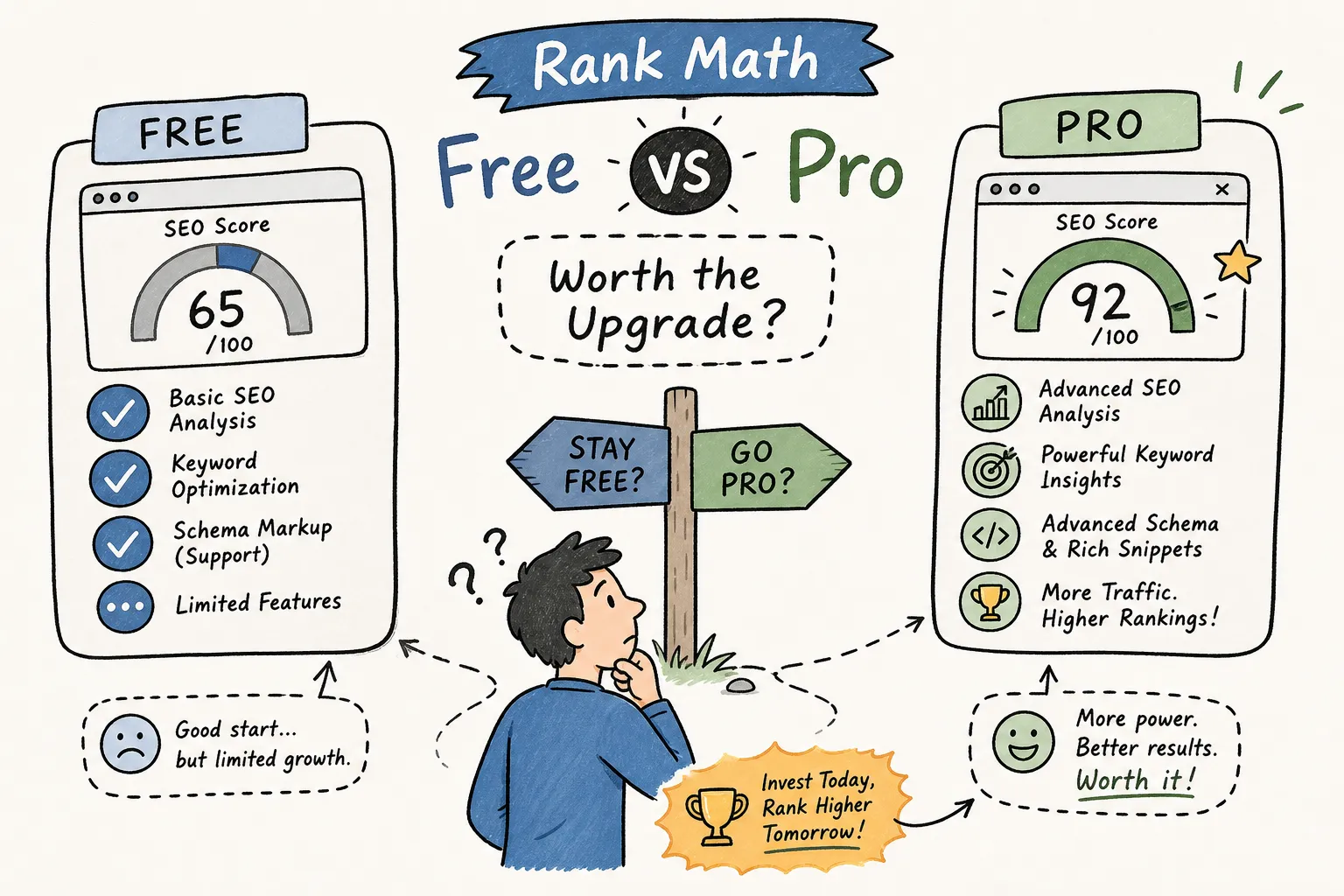
You installed Rank Math Free a few months ago, it’s doing its job, and now you’re staring at the Pro upgrade page wondering what you’re actually missing. The pricing page lists a dozen features with checkmarks and lock icons, and everything sounds critical. That’s not an accident. Rank Math’s marketing is built to make every Pro-only item feel essential, regardless of your actual situation.
This post compares Rank Math SEO free vs pro so you can make the decision based on your site’s real needs, not on FOMO. We’ll cover five key areas: what Free already gives you, what Pro actually unlocks, how the 2026 pricing tiers break down, the schema and rank tracking differences, and the exact steps to upgrade without breaking anything.
By the end, you’ll have a clear answer for your specific situation, whether that’s “stay on Free for now” or “the upgrade makes sense this quarter.”
What Rank Math Free actually gives you
Rank Math’s free tier is one of the most capable free SEO plugins available on WordPress right now. That matters because before you can evaluate whether Pro is worth paying for, you need to know exactly how much you’re already getting without spending a cent. Most comparison posts understate the free version to make the upgrade look more compelling.
The core SEO stack included at no cost
Free handles a lot right out of the box. You get on-page optimization with multiple focus keywords, XML sitemaps, a built-in redirect manager, 404 error monitoring, 18 pre-defined schema types, Google Search Console integration, and on-page content analysis. For context, plugins like Yoast SEO charge for redirect functionality as a premium add-on, so having it included in Rank Math Free is a genuine differentiator. For a solo blogger writing content and doing standard on-page SEO, Free covers nearly everything you need to structure pages correctly and get indexed properly.
Schema support in Free includes the most commonly used types: Article, FAQ, HowTo, LocalBusiness, Product, Review, Recipe, and more across its 18 pre-defined types. The 404 monitor and redirect manager work well for sites handling URL changes manually, which describes most small sites.
Where Free hits its limits
The specific ceilings in Free are: 5 tracked keywords, no Content AI credits, no advanced Google Analytics 4 reporting inside the dashboard, and no dedicated keyword rank tracker beyond those 5 slots. These aren’t arbitrary omissions. They’re the features Rank Math built specifically for Pro, and they tell you exactly what you’d gain by upgrading. The 5-keyword limit on rank tracking is where most growing sites first feel the pinch.
Analytics depth is the other real gap. Free connects to Search Console and surfaces basic performance data, but it doesn’t pull in GA4 traffic, conversions, or behavioral data alongside your SEO metrics. You can still get all of that by going directly to Google Search Console and GA4, but you’re switching tabs instead of working from one dashboard.
Is Free enough for a new site?
A site under six months old with fewer than 50 published posts likely doesn’t need Pro yet. Free gives you everything required to structure pages correctly, handle redirects, and submit your sitemap to Google. This is a general heuristic based on typical content and traffic patterns at that stage, not a hard rule. The upgrade conversation becomes relevant once your content library is large enough that manually checking rankings in Search Console becomes tedious and impractical. Until that point, you’d be paying for features your site isn’t producing enough content to use.
Rank Math SEO Free vs Pro: the features that actually move the needle
Rank Math Pro adds a set of features that are genuinely useful for active publishers and site owners. The key word is “active.” These features pay off when you’re regularly producing content, monitoring performance, and optimizing existing pages. Here’s what actually changes when you upgrade.
Keyword rank tracking (the biggest gap between tiers)
Pro raises the tracked keyword limit from 5 to 500. For anyone managing 50 or more posts, this is the single most impactful change in the Rank Math free vs pro comparison. The rank tracker shows keyword position over time, segments by device and location, and surfaces winning and losing keywords directly inside your WordPress dashboard. Without it, you’re relying entirely on Google Search Console, which gives you position data but not the historical trend view that helps you spot what’s declining before it becomes a real problem.
It’s worth being clear about how Rank Math’s rank tracker works: it’s powered by Google Search Console data, not an independent ranking database. That means it depends on GSC having data for your tracked keywords. Think of it as a convenience layer that organizes and visualizes your GSC data in a cleaner, more actionable format rather than a standalone rank checker like those offered by dedicated third-party tools. At AISEO Round Table, our own content library crossed 100 posts before the upgrade made sense, at that point, having position trends for every tracked page in one view saved hours of manual checking each month. That’s an anecdotal benchmark, not a universal threshold, but it’s a useful reference point.
Advanced Google Analytics 4 integration and reporting
Free connects to Search Console; Pro adds deep GA4 integration that surfaces traffic, conversions, and keyword data inside the Rank Math dashboard. Instead of jumping between WordPress, Search Console, and GA4 separately, you get a combined view. For small business owners tracking which product pages or landing pages are actually converting, this is a legitimate time-saver. It’s not a replacement for working directly in GA4, but it removes most of the context-switching for day-to-day SEO checks.
Content AI credits and AI-assisted SEO tools
Pro plans include access to Content AI, which provides keyword suggestions, content briefs, and on-page optimization recommendations powered by NLP analysis. One important detail most upgrade-consideration articles skip: Content AI is technically a separate product from the core Rank Math plugin subscription. The Pro plan includes a 15-day trial of Content AI credits, but continued use requires a separate paid subscription. The way this is presented on Rank Math’s pricing and account pages can vary, so check the checkout flow carefully before purchasing. Unused credits don’t roll over. Credit usage runs at approximately 1 credit per generated word, 500 credits for keyword research, and 50 credits for alt text generation. Know this before you upgrade so the additional cost doesn’t catch you off guard.
Rank Math SEO Free vs Pro: 2026 pricing breakdown
All premium Rank Math plans are billed annually. The pricing page displays monthly-equivalent figures, but the core billing cycle is annual, meaning you’re committing to a full year when you upgrade. The figures below reflect current list pricing; Rank Math occasionally runs promotional rates, and renewal pricing may differ from introductory pricing. Verify current figures on Rank Math’s official free vs pro comparison and pricing page before purchasing.
Rank Math pricing 2026: the four tiers at a glance
| Plan | Annual Price (list) | Sites | Keyword tracking | Content AI credits |
|---|---|---|---|---|
| Free | $0 | Unlimited personal | 5 keywords | None |
| Pro | ~$96, $108/year* | Unlimited personal | 500 keywords | 15-day trial (5,000 credits) |
| Business | ~$300, $336/year* | 100 client websites | 10,000 keywords | 15-day trial (12,000 credits) |
| Agency | ~$660, $780/year* | 500 client websites | 50,000 keywords | 15-day trial (30,000 credits) |
*Prices vary between introductory and renewal rates. Confirm current pricing at rankmath.com before purchasing.
Business and Agency: who actually needs these tiers
Business and Agency are not fundamentally different products from Pro. They are higher-capacity licenses with larger allowances for client sites, keyword tracking, and AI credits. The jump from Pro to Business only makes sense if you manage more than one client site or need to track thousands of keywords simultaneously. For a solo blogger or a single small business website, Pro is the relevant ceiling.
Freelance SEOs managing 10 or more client sites should look at Business seriously. Running Rank Math across 100 client websites under one license, with dedicated client reporting features, makes the per-site cost very reasonable compared to individual Pro licenses. Agency makes sense for larger teams running 20 or more active client sites with high keyword tracking needs.
Advanced schema and structured data: where Pro separates from Free
Schema markup is one of the most concrete differentiators in the Rank Math SEO free vs pro comparison because it directly affects how your pages appear in Google search results. Rich results for products, events, podcasts, and datasets all depend on structured data, and the schema capabilities between the two tiers are meaningfully different.
What Free’s 18 schema types cover
Free includes the most commonly used schema types: Article, Product, FAQ, HowTo, LocalBusiness, Review, Recipe, and others across its 18 pre-defined options. For most content-based websites, these handle the majority of structured data needs. The one limitation is that you’re locked to one schema type per page, and there’s no custom schema builder for configurations beyond the pre-defined options. For most small sites, this constraint never matters. The cases where it does are specific.
What Pro adds with its advanced schema and AI features
Pro opens up six additional schema types beyond Free: Dataset, Fact Check, Podcast, Carousel, Mentions and About, and Automatic Q&A for bbPress. More importantly, Pro includes a visual custom schema builder, schema templates, and the ability to nest multiple schema types on a single page. For ecommerce sites running complex product pages, event-based businesses, or publishers who need deeply structured article markup, the Pro schema builder is a meaningful upgrade.
The practical SEO impact comes from rich result eligibility. Pages with more complete and accurate structured data are more likely to qualify for enhanced SERP features like product carousels, podcast rich results, or review aggregation displays. These don’t guarantee better rankings, but they can significantly improve click-through rates on pages that do rank. If your site type has natural schema opportunities that go beyond Free’s pre-defined options, this is one of the stronger arguments for upgrading. See Rank Math’s guide to rich snippets and structured data for specifics on markup and eligibility.
Rank Math SEO Free vs Pro: keyword tracking and Content AI explained
Two Pro features generate more confusion than any others in upgrade discussions because they come with usage limits and a credit model that isn’t always clearly explained on the pricing page. Here’s how both actually work.
How rank tracking works and what 500 keywords gets you
The practical workflow is straightforward: you assign keywords to individual posts or pages, and Rank Math Pro tracks their position in Google over time. The 500-keyword limit in Pro is genuinely generous for a single site. A blogger targeting 2 to 3 keywords per post would hit that ceiling somewhere around 165 to 250 posts. At that point, you’d need to prioritize which keywords matter most for ongoing tracking, likely focusing on your highest-traffic or most monetized pages.
The important distinction is that Rank Math’s rank tracker pulls data from Google Search Console rather than crawling search results independently. This makes it accurate and reliable, but it also means you need GSC connected and data flowing for the tracker to work. It’s best suited for monitoring trends and catching ranking drops early, not for the kind of granular competitive rank tracking that dedicated third-party tools provide. If you already use a separate rank tracker, this feature is redundant, and that’s a legitimate reason to stay on Free.
Content AI credits: the ongoing cost most people miss
Content AI is the most frequently misunderstood part of the Rank Math Pro upgrade. The 15-day trial included with Pro gives you a taste of the feature, but continued use requires a separate Content AI subscription on top of your core plugin plan. Check Rank Math’s pricing and account pages for exactly how this is disclosed, as presentation can vary. If you plan to use Content AI regularly as part of your content workflow, budget for that additional cost separately from the annual plugin price.
For context on credit consumption: keyword research costs 500 credits per query, content generation runs at roughly 1 credit per word, and alt text generation uses 50 credits per image. Credits don’t roll over between billing periods. If you’re writing one or two pieces of content per week and using Content AI for briefs and optimization suggestions, you’ll burn through credits quickly. Test the 15-day trial thoroughly before committing to a Content AI subscription to make sure the output quality justifies the ongoing cost for your workflow.
Redirections, 404 monitoring, and WooCommerce SEO
Three features come up often in Pro upgrade discussions. The honest answer on two of them is that Free handles them well enough for most sites. The third, WooCommerce SEO, is where Pro’s value is more concrete for ecommerce operators.
Redirections and 404 monitoring: Free is enough for most sites
Both the redirect manager and 404 monitor are included in Rank Math Free and work well. Pro adds some automation to the redirect workflow, but for sites handling redirects manually, which is most small sites, Free handles the job completely. A blogger migrating old URLs after a domain change or redesign doesn’t need Pro for this use case. Only sites with high redirect volumes or complex redirect chains benefit meaningfully from Pro’s additional automation.
WooCommerce SEO: what changes with Pro
Free provides basic WooCommerce SEO support including product schema and sitemaps. Pro extends this with dedicated product-page analysis tailored to ecommerce (rather than generic blog-post style checks), support for GTIN and MPN global identifiers in product schema, variation-level offer entities in structured data, custom brand support, and the ability to noindex hidden products. It also includes enhanced open graph handling for product sharing previews and gallery image support in sitemaps and social tags.
For a small store with fewer than 30 products, Free is workable. For an actively managed WooCommerce store competing in commercial search results where product schema completeness directly affects rich result eligibility, the Pro product schema builder and GA4 ecommerce integration are worth the upgrade cost. Product pages with richer structured data have a cleaner path to Google Shopping appearances and product carousel results.
Who should stay on Free vs who should upgrade to Pro
This is the decision-making section that most upgrade articles avoid writing clearly. The truth is that Rank Math Free is the right choice for a large share of WordPress users, and upgrading before your site needs Pro’s features is money spent without a return. Here’s how to categorize yourself honestly.
Profiles that should stay on Free
- New bloggers with fewer than 50 published posts still building their content library
- Personal portfolio or informational sites with no active content marketing or monetization goals
- Business websites that are essentially static, with no regular publishing cadence
- Anyone already using a third-party rank tracker for keyword monitoring
Profiles that should upgrade to Pro
- Active bloggers publishing weekly content who need position tracking across 50 or more posts
- WooCommerce store owners who want richer product schema and GA4 ecommerce integration
- Affiliate marketers managing 50 or more posts who need to monitor rankings across multiple target keywords simultaneously
- Freelancers managing two or more client WordPress sites (though Business may be more appropriate at 10-plus sites)
At AISEO Round Table, this blog runs on Rank Math Pro, and the decision came down to one thing: rank tracking across a growing content library. Once the post count crossed 100 and manually checking rankings in Search Console became a weekly time sink, the upgrade made obvious sense. The advanced schema features and GA4 integration were useful additions, but they weren’t the deciding factor. Know what you’re actually buying it for before you pay.
A quick ROI checklist before you upgrade
Rather than leaving you with a vague “it depends,” here’s a concrete evaluation framework. Answer these five questions honestly before you open your wallet.
Five questions to answer before paying for Pro
- Do you publish at least 2 posts per month and plan to continue for the next 12 months?
- Are you currently tracking keyword rankings manually or relying entirely on Google Search Console with no historical trend data?
- Do you run a WooCommerce store or manage product pages competing in commercial search results?
- Do you manage more than one website, either your own properties or client sites?
- Is organic traffic a primary or significant revenue channel for your site right now?
What the answers mean
If you answered yes to 3 or more of these questions, the Pro upgrade is likely worth exploring. As an illustrative estimate: the rank tracking alone can save several hours per month of manual Search Console work if you’re actively monitoring 50 or more keywords, which for many publishers offsets the annual cost within the first year of consistent use. If you answered yes to 2 or fewer, spend the next 3 months maxing out what Free already gives you. Learn the plugin thoroughly, get comfortable with your Search Console data, and revisit the upgrade decision once your site has more content and traffic to make Pro’s features meaningful.
One more note: don’t upgrade because you feel like you should. Pro is a tool, not a strategy. The same content fundamentals that drive rankings on Free apply on Pro. The plugin doesn’t rank your pages for you. It helps you monitor performance and optimize more efficiently once there’s enough content to work with.
How to upgrade from Free to Pro without breaking your site
The upgrade process is straightforward, but there’s one non-obvious rule that catches a lot of people off guard. Follow this sequence and you won’t have any issues on a live site.
The install order that matters
- Update Rank Math Free to the latest version inside WordPress before doing anything else. Go to Dashboard > Plugins > Installed Plugins and run the update if one is available.
- Log into your account at rankmath.com and download the Rank Math Pro ZIP file from your account area (see how to upgrade to Rank Math Pro for step-by-step instructions).
- In WordPress, go to Plugins > Add New > Upload Plugin. Choose the Pro ZIP file you downloaded and click Install Now.
- Activate the Rank Math Pro plugin after installation completes.
- Navigate to Rank Math SEO > Dashboard > Help and click Connect Now to link your site to your Rank Math account and activate the Pro license.
The one rule most people miss
Do not delete or deactivate the Free plugin after installing Pro. Both versions must remain installed and active simultaneously because Pro is built on top of Free’s architecture. Removing Free after installing Pro will break your setup. This surprises a lot of users who assume the Pro plugin replaces Free entirely. It doesn’t. Both plugins coexist, and both need to stay active.
One more thing: if your site was already connected to a Rank Math account under the Free plan, you may need to disconnect and reconnect so the Pro license registers correctly. Go to Rank Math SEO > Dashboard > Help, disconnect the existing account, and reconnect using the same account that holds your active Pro subscription. Also confirm you’re downloading the Pro ZIP from the correct account. Using a different login won’t activate the license.
Pre-upgrade checklist
Back up your WordPress database and files before touching anything on a live site. This is non-negotiable. Plugin installs are generally safe, but a backup takes five minutes and protects you from any edge-case conflicts with your theme or other plugins. After activation, verify license status under Rank Math SEO > Dashboard > Help. Your existing SEO settings and data are preserved because they live in the WordPress database, not in the plugin files themselves. The upgrade doesn’t reset your configurations, meta data, or schema settings.
The verdict: is the Rank Math SEO free vs pro upgrade worth it in 2026?
Rank Math Free is genuinely capable software and the right choice for most new or small sites. It’s not a crippled trial version designed to force an upgrade. The upgrade to Pro becomes justified when your content library is large enough to make rank tracking across hundreds of keywords essential, when you need advanced schema for WooCommerce or rich results, or when you’re managing multiple sites and need a centralized performance dashboard.
At roughly $96 to $108 per year depending on current pricing, Pro is a reasonable investment for active content publishers who are at least 12 months into building their site. It’s not a day-one purchase. Use Free until it’s genuinely holding you back, then upgrade with a clear list of the specific features you’ll actually use. “I want to see if it helps” is not a sufficient reason to pay for a year-long subscription. “I need to track 200 keywords across my content library and I’m spending 3 hours a week in Search Console” is.
For more hands-on walkthroughs of specific Rank Math Pro features, including how to set up keyword tracking, configure WooCommerce schema, and use the GA4 integration, check out the Rank Math tutorials and WordPress SEO guides published here at AISEO Round Table. Related guides you may find useful include Top 10 SEO Tools for 2026: Dominate Search Rankings Like a Pro, AISEO Round Table, Free vs Paid Keyword Research Tools Compared, AISEO Round Table, and Best WordPress Hosting Providers: Top Choices for Optimal Performance in 2025, AISEO Round Table.