How do I optimize my content for AI search results? That’s the question every blogger and affiliate marketer should be asking right now. A growing share of Google searches, industry trackers suggest anywhere from 25% to 60% of queries in 2026, now surface an AI-generated answer before a single blue link. Platforms like Perplexity, Gemini, and ChatGPT (via search integrations) are pulling clicks away from traditional results at a measurable and accelerating rate. Your page can rank on page one and still get skipped entirely if the AI decides to summarize a competitor instead.
The team at AISEO Round Table has been tracking this shift through our GEO (Generative Engine Optimization) content series. Most of the guidance floating around is written for developers and enterprise SEOs, not everyday content creators. This guide pulls that research into a practical checklist any non-technical blogger can act on today.
By the end of this article, you’ll know exactly how AI systems select their sources, how to structure content they prefer, and how to measure whether your pages are showing up in generated answers.
Why AI Systems Pick Some Pages Over Others
The Core Signals: Authority, Relevance, and Structure
AI systems are not running a separate algorithm from traditional search. Google AI Overviews, Perplexity, and Bing Copilot all lean on signals that SEOs already recognize: E-E-A-T (experience, expertise, authoritativeness, trustworthiness), query relevance, content freshness, and structural clarity. The key distinction is that generative systems use retrieval-augmented generation (a process where the AI pulls relevant passages from live web pages and stitches them into a single answer). That shifts the optimization target from page-level ranking to passage-level extractability: your page needs to be extractable at the passage level, not just ranked well overall.
How Do I Optimize My Content for AI Search Results: Understanding “Extractable”
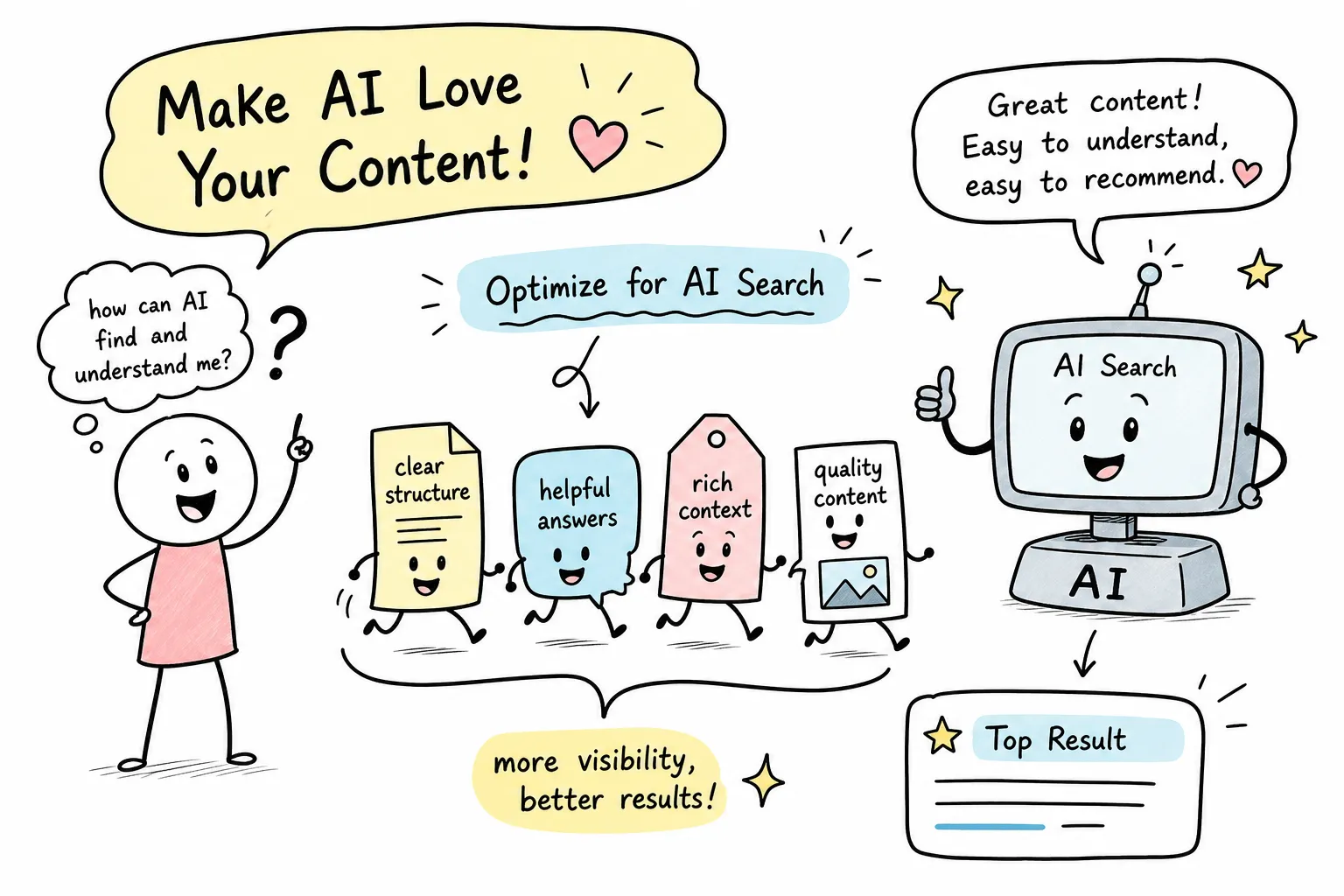
AI systems scan a page looking for self-contained chunks that directly answer a specific question. A long, unstructured wall of text with no headers or clear answer structure is hard to extract, so the system skips it. Take a short section with a question-style heading, a two-sentence direct answer, and three supporting bullet points, that structure is easy for an AI system to parse and quote. The practical implication is real: the same content, reformatted, can go from invisible to cited without changing a single fact. This is the heart of AI search optimization, and it costs nothing but time.
How to Optimize Content for AI Search: Structure That AI Overviews Actually Use
Lead with the Answer, Then Build the Context
The answer-first format works like this: open every section with a direct one-to-three sentence response to the heading’s implied question, then follow with supporting details, examples, or nuance. Journalists call this the inverted pyramid, and it’s exactly the structure AI systems prefer for generative AI SEO. In the content experiments we’ve run and tracked at AISEO Round Table, pages that restructured their content to lead with direct answers began appearing in AI Overviews after those changes, often without any new content being written. See our Mastering AI Overviews and Generative SEO: The Future of Search Optimization guide for related experiments and examples.
Write Headings That Mirror Real User Queries
Phrasing H2s and H3s as actual questions a reader would type or speak dramatically improves extractability. “What is schema markup?” or “How do I add FAQPage schema to WordPress?” are far more usable than vague section labels like “Advanced tactics” or “Next steps.” Here’s a quick before/after: a heading that reads “Technical considerations” tells an AI system almost nothing. A heading that reads “Which schema types work best for blog posts?” signals exactly what the section answers and makes it easy to pull that section as a citation. This kind of LLM search ranking optimization starts at the heading level.
Use FAQs, Bullet Lists, and Comparison Tables Strategically
A dedicated FAQ block at the bottom of how-to posts and review content serves two functions at once: it targets long-tail conversational queries and gives AI systems pre-packaged question-and-answer pairs to extract. These are essentially AI answer boxes you build directly into your page. Modular bullet points do the same job for supporting details, breaking information into quote-ready units. When you’re comparing two tools or two approaches, a simple two-column table is often more extractable than paragraphs of prose because the structure signals comparisons explicitly. These aren’t design choices; they’re extraction levers.
Schema Markup: The Low-Effort Trust Signal Non-Technical Bloggers Can Add
FAQPage and HowTo: The Highest-Impact Schema Types
FAQPage schema encodes explicit question-and-answer pairs in machine-readable format, making it easy for AI systems to confirm what a section is about without relying on inference. For step-by-step procedural content, HowTo schema organizes each step so systems can parse and summarize your process accurately. If your site runs on WordPress, neither type requires coding: Yoast SEO and SEOPress PRO both support FAQ and HowTo schema through a simple toggle or form-fill interface. (Check each plugin’s current documentation for HowTo support before assuming coverage, plugin features do update.) For community-style Q&A content, QAPage schema serves the same function.
Here’s a minimal FAQPage JSON-LD example you can drop into your page’s or a custom HTML block:
{
  "@context": "https://schema.org",
  "@type": "FAQPage",
  "mainEntity": [{
    "@type": "Question",
    "name": "How do I optimize my content for AI search results?",
    "acceptedAnswer": {
      "@type": "Answer",
      "text": "Use answer-first headings, add FAQPage schema, and structure content in short, self-contained sections that AI systems can extract directly."
    }
  }]
}
For a practical take on how schema markup can improve visibility to LLMs and generative systems, read this piece on how schema markup supports LLM visibility.
Article and BlogPosting Schema: The Attribution Layer
Article and BlogPosting schema tell AI systems who wrote the content, when it was published, when it was last updated, and what the page is about. That information raises the system’s confidence before it decides whether to cite your source. Think of it as labeling your content so machines read it the way you intend, rather than having to guess. This connects directly to E-E-A-T: schema is one of the clearest ways to make your authority signals machine-readable, and it pairs well with the on-page trust signals covered in the next section.
Build the Authority Signals That Earn AI Citations
Practical E-E-A-T: Author Bios, Outbound Citations, and First-Hand Detail
E-E-A-T becomes actionable when you break it down into specific things you can add this week. Start with a short author bio on every post that mentions relevant credentials or real experience with the topic. Add outbound links to credible primary sources, studies, official documentation, or government data, wherever your claims rely on external evidence. Include at least one example, data point, or observation drawn from your own experience rather than summarized from another blog. Together, these habits increase the probability that an AI system trusts your page enough to cite it rather than skipping it for a stronger source.
Why Refreshing Old Content Often Beats Writing New Posts
A vendor case study cited in SEO industry research documented one content refresh that generated appearances in AI Overviews for 17 keywords and a 131% traffic increase after the creator added missing sections, updated statistics, and a FAQ block. (These results come from a single case study, not a controlled experiment, so treat them as directional rather than a guaranteed outcome.) That kind of return is hard to replicate by publishing a brand-new post from scratch. The practical move is to open Google Search Console, identify your top five to ten posts by organic impressions, and prioritize those for structural and freshness updates before spending time creating new content. The pages already have authority; they just need better extraction architecture.
For official guidance and resources on optimizing for generative approaches, Google has published materials you can reference as you update site architecture and content strategy; see Google’s new resource for optimizing.
How to Measure Whether AI Search Is Using Your Content
Spot AI Overview Appearances in Google Search Console
Google Search Console includes generative AI performance reports, documented in Google’s Search Console Help and the Search team blog, that show which pages appeared in AI Overviews and how often. For query-level analysis, open the Performance report, filter by the page you care about, and sort queries by CTR. Queries where your page sits near position one but has unusually low click-through rates are strong AI Overview candidates: the AI answer absorbed the click before the user reached your blue link. That low-CTR signal is your starting point for identifying which content is already being used and which sections need structural improvements to earn more consistent AI snippets. See the generative AI performance reports documentation for details on the report fields and interpretation.
Run Simple Before/After Tests to Track GEO Progress
Pick three to five target queries, manually search them in an incognito window, and screenshot the AI answer. Apply one structural change to your page: add a direct answer paragraph, add FAQPage schema, or rewrite the heading as a question. Wait two to four weeks, then repeat the search and compare your screenshots. This low-tech experiment gives you real signal on what’s working without needing analytics software or a developer. AISEO Round Table’s GEO guides walk through exactly this kind of experiment with step-by-step screenshots for bloggers who want a structured framework for tracking generative search visibility over time.
What to Do Next
Optimizing your content for AI search results comes down to a handful of repeatable moves: lead with direct answers, write question-style headings, add FAQ blocks and schema markup, build genuine authority signals, and check your progress in Search Console rather than guessing. None of these tactics require a developer or an agency retainer. They require clear thinking about what your reader is actually asking and how your content is structured to answer it.
Concrete starting point: pick one post this week, add a two-sentence answer-first lead to your top three sections, rewrite one vague heading as a question, and add a five-question FAQ block at the bottom. Then check that page in Search Console in four weeks. That single pass will teach you more about AI visibility than any amount of reading about it.
The bloggers and affiliate marketers who treat AI search visibility as a structural content discipline, rather than waiting for the landscape to stabilize, are already building a compounding head start. Early movers in niches like personal finance and software reviews who adopted SGE optimization and generative AI SEO practices ahead of their competitors gained measurable citation advantages as AI Overviews expanded. For an industry perspective on recent guidance and how publishers are reacting, see Search Engine Journal’s coverage of Google’s new AI search guide.
Head over to the AISEO Round Table GEO content series, including How to Optimize for Google’s Search Generative Experience, AISEO Round Table, for a beginner-friendly deep dive into generative search optimization, with practical walkthroughs that don’t require a technical background to follow. For executive-focused context and experiments, see Google’s AI Search Experiments: What Your C-Suite Needs to Know, AISEO Round Table.