A technical SEO checklist can boost your organic traffic by 20-50% once you resolve the most important issues. Even the best content and strategic keywords fall flat without proper technical optimization.
You’ll learn how to build a detailed technical seo audit checklist step-by-step in this piece. We’ll cover everything in technical seo best practices, from crawlability and site architecture to Core Web Vitals and structured data. You can implement technical seo optimization that works and delivers lasting results.
What is Technical SEO and Why You Need a Checklist
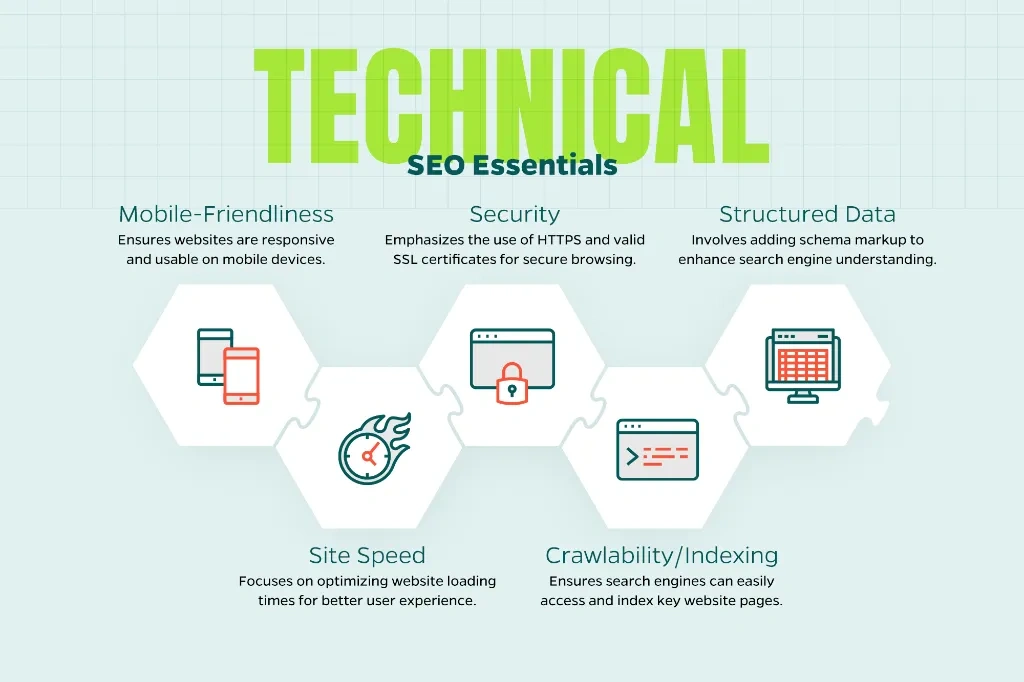
Image Source: Straight North
Understanding Technical SEO
Technical SEO optimizes your website’s infrastructure so search engines can find, crawl, and index your content. Picture it as a building’s foundation. Content acts as the rooms, and backlinks serve as the entrances. Technical SEO represents the structural framework holding everything together.
Search engines don’t process websites the way humans do. Googlebot operates with limited resources and strict timeouts. It follows different rules than conventional browsers. This creates gaps between what visitors see and what search engines actually index. Technical SEO bridges that gap. Your site will speak the language search engines understand.
The practice covers multiple areas: site architecture, crawlability, page speed, mobile responsiveness, security protocols, and structured data implementation. Each element works together. They create conditions where search engines can reach, interpret, and store your pages accurately. Even remarkable content remains invisible to your target audience without this foundation.
The Role of Technical SEO in Search Rankings
Technical SEO determines whether your pages become eligible to appear in search results. Google’s documentation confirms that if Googlebot can’t crawl your pages, they won’t appear in search results. This makes technical optimization the non-negotiable starting point of any search strategy.
Large sites can have up to 50% of their pages not indexed owing to crawl budget issues. That’s half your content invisible to potential visitors. Sites meeting all Core Web Vitals thresholds see 24% fewer page abandonment rates. Pages with proper schema markup can experience up to 30% higher click-through rates through rich snippets.
The performance effect extends beyond rankings. Sites loading in under 2 seconds have 15% higher conversion rates than those loading in 4+ seconds. The probability of a user leaving your website increases 32% as page load time increases from one to three seconds. These metrics affect revenue, not just visibility.
Google now uses Core Web Vitals as ranking factors. They focus on load time, interactivity, and visual stability. Mobile-first indexing means the mobile version of your content determines search performance on any device. Security through HTTPS has become a baseline standard. Each technical element acts as a multiplier that either amplifies or diminishes your content’s performance.
Why a Checklist Makes Technical SEO Easier
A technical seo checklist transforms an overwhelming process into manageable steps. Technical optimization involves many interconnected elements. Missing one component can undermine your entire strategy. A structured checklist will make sure nothing falls through the cracks.
Checklists help you spot mistakes fast and maintain proper oversight of all activities. They give you a systematic way to run audits, prioritize fixes based on effect, and track progress over time. Teams often address random issues without understanding which changes deliver the most value without this structure.
Technical SEO isn’t a one-time task. New problems emerge as your website grows in complexity. Regular monitoring catches issues before they damage rankings. A checklist creates repeatable processes for quarterly audits, performance testing, and ongoing maintenance. It helps you prioritize which technical elements deserve immediate attention versus those that can wait.
The checklist approach also improves communication with developers. You provide specific action items backed by clear success metrics instead of vague requests. This clarity accelerates implementation. Everyone understands how technical changes support business goals.
Essential Elements to Include in Your Technical SEO Audit Checklist
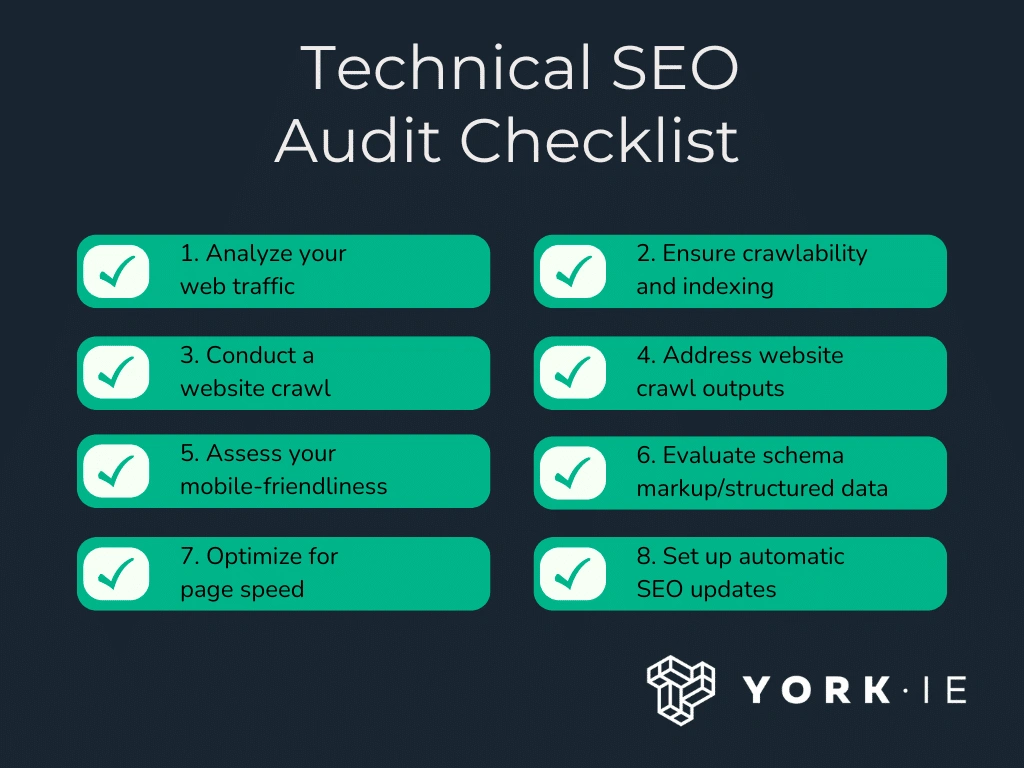
Image Source: York IE
Building your technical SEO audit checklist requires knowing which elements actually affect search performance. Here are the six core categories every detailed technical SEO checklist must address.
Crawlability and Indexing Components
Your checklist starts with crawlability verification. The robots.txt file controls which pages crawlers can access on your site. This file manages crawler traffic, not page visibility. Pages blocked by robots.txt can still appear in search results without descriptions.
XML sitemaps guide search engines to your important pages. Include all indexable pages in your sitemap and ensure crawlers find and index them. Internal linking creates the roadmap that crawlers follow between pages. Pages within three clicks from your homepage get crawled more efficiently. Orphaned pages lacking internal links remain undiscovered by search engines.
Crawl budget determines how many pages Google indexes within a given timeframe. Sites exceeding their crawl budget leave pages unindexed. Your checklist should include checks for server errors, redirect loops and pages blocked unintentionally regularly.
Site Architecture and URL Structure
A flat site architecture keeps all pages within four clicks or less from your homepage. This structure maximizes crawl budget efficiency and helps Google find all your content. Category pages organize content over time logically. Each new page fits into an existing category rather than floating randomly in your structure.
URL structures should follow your category hierarchy. Descriptive URLs using hyphens to separate words perform better than long ID numbers. Keep URLs under 60 characters when possible. Use lowercase letters to avoid duplicate content issues from case-sensitive URLs consistently.
Page Speed and Core Web Vitals
Core Web Vitals are the foundations of your technical SEO checklist’s performance. Largest Contentful Paint (LCP) measures loading performance. Target LCP under 2.5 seconds. Interaction to Next Paint (INP) replaced First Input Delay in 2024. Strive for INP under 200 milliseconds. Cumulative Layout Shift (CLS) tracks visual stability. Maintain CLS scores below 0.1.
Pages meeting Core Web Vitals thresholds need measurement at the 75th percentile on mobile and desktop. Time to First Byte (TTFB) below 200ms indicates strong server performance. Image optimization, browser caching and minified CSS reduce load times.
Mobile Optimization Requirements
Mobile-first indexing means Google uses your mobile version for ranking decisions on devices of all types. Your checklist must verify content parity between mobile and desktop versions. Missing content on mobile hurts rankings whatever the desktop quality.
Responsive design adapts to different screen sizes. Use the viewport meta tag to prevent display issues correctly. Ensure robots meta tags match between mobile and desktop versions. Avoid lazy-loading primary content since Googlebot doesn’t trigger user interactions like scrolling.
Security and HTTPS Implementation
HTTPS encryption became a ranking signal in 2014. Sites without SSL certificates get labeled “Not Secure” by browsers and damage trust and traffic. HTTPS improves page speed through faster security checks. Implement 301 redirects from HTTP to HTTPS versions to preserve link equity. Update internal links to HTTPS to avoid mixed content warnings.
Structured Data and Schema Markup
Structured data helps search engines understand page content and display rich results. Google recommends JSON-LD format for schema implementation. Product schema enables price, availability and review ratings in search results. Article schema improves how headlines and publication dates appear. Local Business schema displays hours, ratings and directions in knowledge panels. Sites with proper schema markup see higher click-through rates through enhanced search appearances.
How to Build Your Technical SEO Checklist Step-by-Step
Image Source: Straight North
A technical seo checklist needs a methodical approach to build. Create an audit framework that identifies real problems and produces measurable improvements with these five steps.
Step 1: Audit Your Current Site Status
Gather baseline performance metrics to understand where your site stands. Record current organic traffic, top-performing pages, bounce rates, load times and conversion rates. This baseline lets you measure the effect after you implement changes.
Crawling tools analyze your entire site structure. Google Search Console’s Pages report shows which pages are indexed and which are excluded. Common exclusion reasons include “Crawled – currently not indexed” where Google found the page but deemed it low quality. Pages blocked by robots.txt may accidentally prevent access to valuable content. Screaming Frog and Semrush Site Audit identify technical issues like broken links, duplicate content and crawl errors across all pages at once.
Mobile-friendly tests matter since Google uses mobile-first indexing for all sites. Core Web Vitals through PageSpeed Insights reveal performance bottlenecks that affect user experience.
Step 2: Prioritize Issues Based on Effect
Not all technical issues deserve equal attention. Prioritize fixes using three criteria: effort required, potential effect and confidence in results. Issues that affect crawlability or indexing rank as high priority since they directly prevent pages from appearing in search results.
High-value pages experiencing problems need your focus. A minor issue that affects thousands of product pages outweighs a major problem on a single rarely-visited page. Performance data shows where issues suppress traffic or rankings rather than audit tool severity scores.
Step 3: Organize Your Checklist by Categories
Logical buckets make technical issues easier to understand and assign. Group problems by content issues (duplicate titles, missing headers), indexation concerns (status codes, redirects, blocked pages), performance metrics, mobile optimization and security. This organization helps development teams grasp what issues relate to their specific areas of responsibility.
Step 4: Add Specific Action Items and Tasks
Transform identified issues into concrete action items. Specify “compress images over 100KB” or “enable browser caching with 30-day expiration” instead of noting “slow page speed.” Pass/fail columns document each check’s status and record action points as you progress.
Step 5: Set Success Metrics and Standards
Define measurable outcomes for each technical improvement. Track organic traffic growth, keyword ranking positions, Core Web Vitals scores, crawl error reduction and indexation rates. Your audit findings establish realistic standards. Monitor these metrics weekly for immediate issues and monthly for broader performance trends.
Technical SEO Best Practices to Add to Your Checklist

Image Source: Straight North
Once you’ve set up your technical seo checklist framework, implementing proven technical seo best practices becomes the next step. These specific optimizations address common issues that prevent search engines from accessing and ranking your content properly.
Optimize Robots.txt and XML Sitemaps
Your robots.txt file should go in the root directory of your site. A sitemap directive helps crawlers find your XML sitemap: Sitemap: https://example.com/sitemap.xml. Pages with noindex directives shouldn’t be blocked with robots.txt since crawlers won’t see those tags. Note that robots.txt manages crawl traffic, not indexation.
XML sitemaps should stay under 50,000 URLs and 50MB per file. Only canonical URLs you want indexed should be included. Noindex pages, redirects and broken URLs don’t belong in your sitemap. Your sitemap should update automatically when you publish new content rather than through manual maintenance.
Fix Internal Linking and Broken Links
Broken internal links create 404 errors that pass no authority. Site audit tools can find and fix them by updating links to valid URLs or implementing 301 redirects. Internal links shouldn’t have nofollow attributes since you want to pass authority between your own pages.
Orphaned pages need internal links from your existing site structure. Pages with only one internal link appear less important to search engines. Crawl depth should stay within three clicks from your homepage to maximize crawl efficiency.
Improve Core Web Vitals Scores
Target Largest Contentful Paint under 2.5 seconds by optimizing images, using modern formats like WebP and enabling browser caching. Interaction to Next Paint should stay under 200 milliseconds by minimizing JavaScript and breaking up long tasks. Cumulative Layout Shift should remain below 0.1 by setting explicit dimensions for images and media.
Implement Proper Canonical Tags
Canonical tags should go in the <head> section of duplicate pages and point to your preferred version. Self-referential canonical tags belong on the canonical page itself. This unites ranking signals from duplicate URLs into one authoritative page.
Add Meta Robots Tags Correctly
<meta name="robots" content="noindex"> prevents specific pages from appearing in search results. Meta robots tags belong in the <head> section. Pages with meta robots directives shouldn’t be blocked with robots.txt, or crawlers won’t see them.
How to Use and Maintain Your Technical SEO Checklist
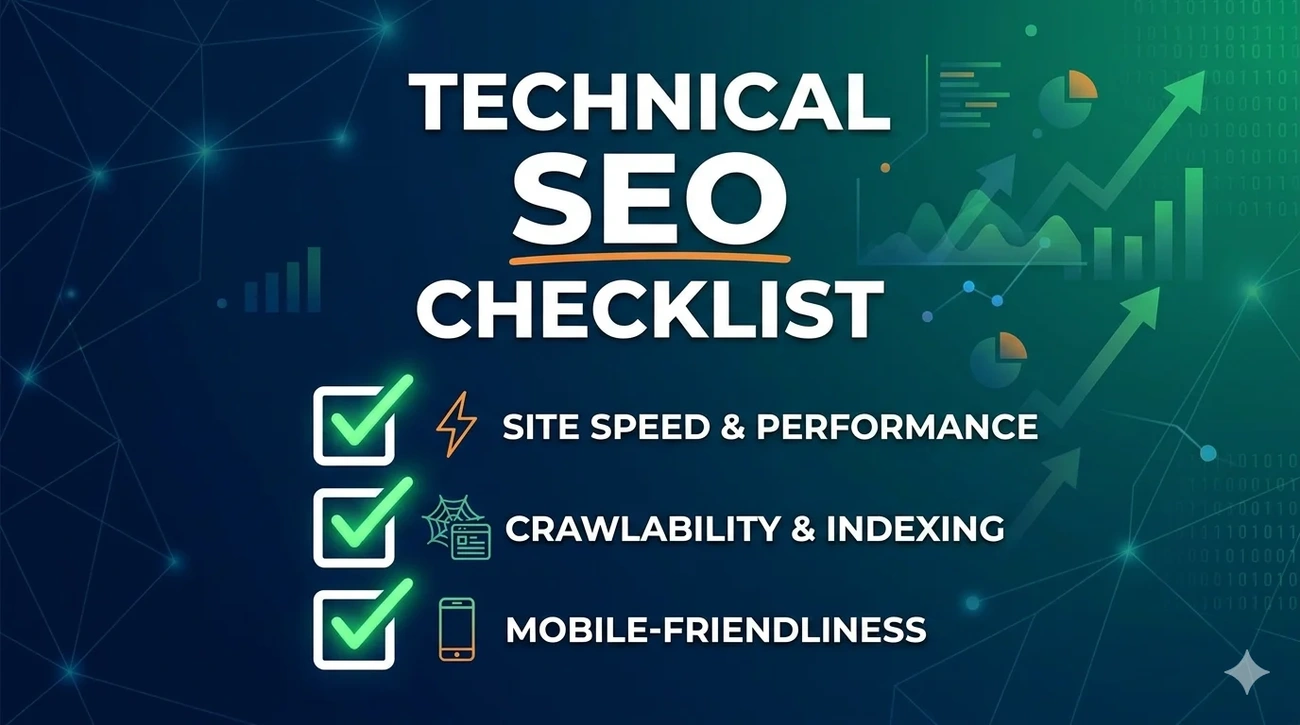
Image Source: smartchaine
Your technical seo checklist requires consistent execution to deliver sustained results. Regular audits catch problems before they escalate into ranking losses.
Running Regular Technical SEO Audits
Audit frequency depends on site complexity and change velocity. General site maintenance needs weekly audits. High-traffic e-commerce sites need quarterly full audits. Sites with fewer updates can audit every six months. You should trigger immediate audits after migrations, redesigns, or algorithm updates. Site migrations require daily monitoring to catch redirect issues and crawl errors immediately.
Tracking Changes and Progress
You need to monitor keyword rankings, organic traffic, and sudden performance drops weekly. Conversions, click-through rates, backlinks, and engagement metrics require monthly reviews. Deeper strategic evaluations should happen quarterly and analyze long-term trends and competitor movements. Crawl efficiency, index coverage, Core Web Vitals, and redirect health serve as core performance indicators that you must track.
Tools for Monitoring Technical SEO
Google Search Console gives direct insights into crawling, indexing, and Core Web Vitals performance. Screaming Frog, Lumar, and Semrush Site Audit identify technical issues at scale. Live monitoring tools detect changes as they occur and allow immediate damage control.
Updating Your Checklist as Google Evolves
Algorithm updates require checklist revisions. You should run targeted audits when major updates roll out, even if traffic appears stable. New checks must be added as Google introduces ranking factors or deprecates old practices.
Conclusion
You now have everything you need to build and implement a complete technical SEO checklist that delivers real results. The step-by-step approach we covered makes complex technical optimization manageable and useful.
Audit your current site status first. Prioritize issues based on their real effect and work through the fixes. Regular monitoring catches problems early before they damage your rankings.
Technical SEO isn’t a one-time project. Consistency matters more than perfection. Track your metrics and update your checklist as Google evolves. Your rankings and organic traffic will improve with time.
FAQs
Q1. How often should I run a technical SEO audit on my website? The frequency depends on your site’s complexity and how often you make changes. For general maintenance, weekly audits work well. High-traffic e-commerce sites should conduct full audits quarterly, while smaller sites with fewer updates can audit every six months. Always run an immediate audit after major changes like site migrations, redesigns, or significant algorithm updates.
Q2. What are the most important technical SEO elements to prioritize first? Focus on crawlability and indexing issues first, as these directly prevent pages from appearing in search results. Prioritize fixes that affect high-value pages with significant traffic potential. Issues like broken internal links, missing XML sitemaps, incorrect robots.txt configurations, and HTTPS implementation should be addressed before moving to performance optimizations like Core Web Vitals improvements.
Q3. Do I need to set up both Google Search Console and Bing Webmaster Tools? Yes, setting up both is recommended. While Google dominates search traffic, Bing still represents a meaningful portion of searches, particularly among certain demographics. Both tools provide valuable insights into how search engines crawl and index your site, and they’re free to use. The setup process is straightforward and helps ensure your site is properly indexed across multiple search engines.
Q4. What’s the difference between robots.txt and meta robots tags? Robots.txt controls which pages search engine crawlers can access on your site, managing crawl traffic rather than indexation. Meta robots tags, placed in the page’s head section, tell search engines whether to index a specific page or follow its links. Importantly, if you block a page with robots.txt, crawlers won’t see any meta robots tags on that page, so avoid blocking pages that contain noindex directives.
Q5. How can I improve my Core Web Vitals scores? Target three key metrics: keep Largest Contentful Paint (LCP) under 2.5 seconds by optimizing images and enabling browser caching, achieve Interaction to Next Paint (INP) under 200 milliseconds by minimizing JavaScript, and maintain Cumulative Layout Shift (CLS) below 0.1 by setting explicit dimensions for images and media. Use tools like PageSpeed Insights to identify specific bottlenecks affecting your scores.